
Thank you for sharing these four screenshots. They show a multi-step phishing campaign impersonating Nickel, a French neobank (a subsidiary of BNP Paribas) that offers fee-based bank accounts typically sold in tobacco shops. The scam is designed to capture the victim’s identifier, access code, SMS verification code, and full card details—enabling full account takeover and card fraud. Here is a detailed English description that avoids exact quotes from the screenshot content to minimize antivirus false positives.
Threat Analysis: Nickel Phishing – Multi-Step Credential, SMS Code & Card Data Harvesting
This phishing campaign impersonates Nickel, a French neobank popular for its accessible accounts. The scam uses a multi-page flow to capture the victim’s identifier, access code, SMS verification code, and full card details (card number, expiration date, CVV). By harvesting all of this information, attackers can gain full access to the victim’s account and use the card for fraudulent transactions.
How it works:
The victim receives a phishing email, SMS, or other message claiming a security alert, account issue, or the need to verify their information. The message includes a link to the first phishing page.
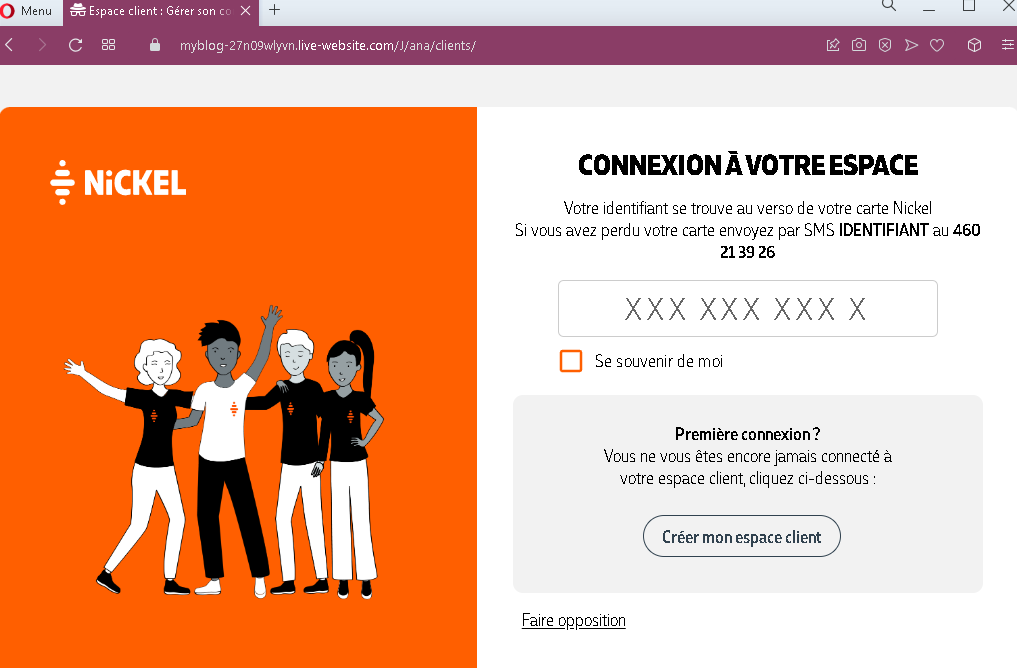
Step 1 – Fake Login Page (Identifier Entry)
The first page asks for the victim’s identifier (which, according to the page, is found on the back of the physical Nickel card). It also includes a “Remember me” checkbox and options for first-time connection or card opposition.
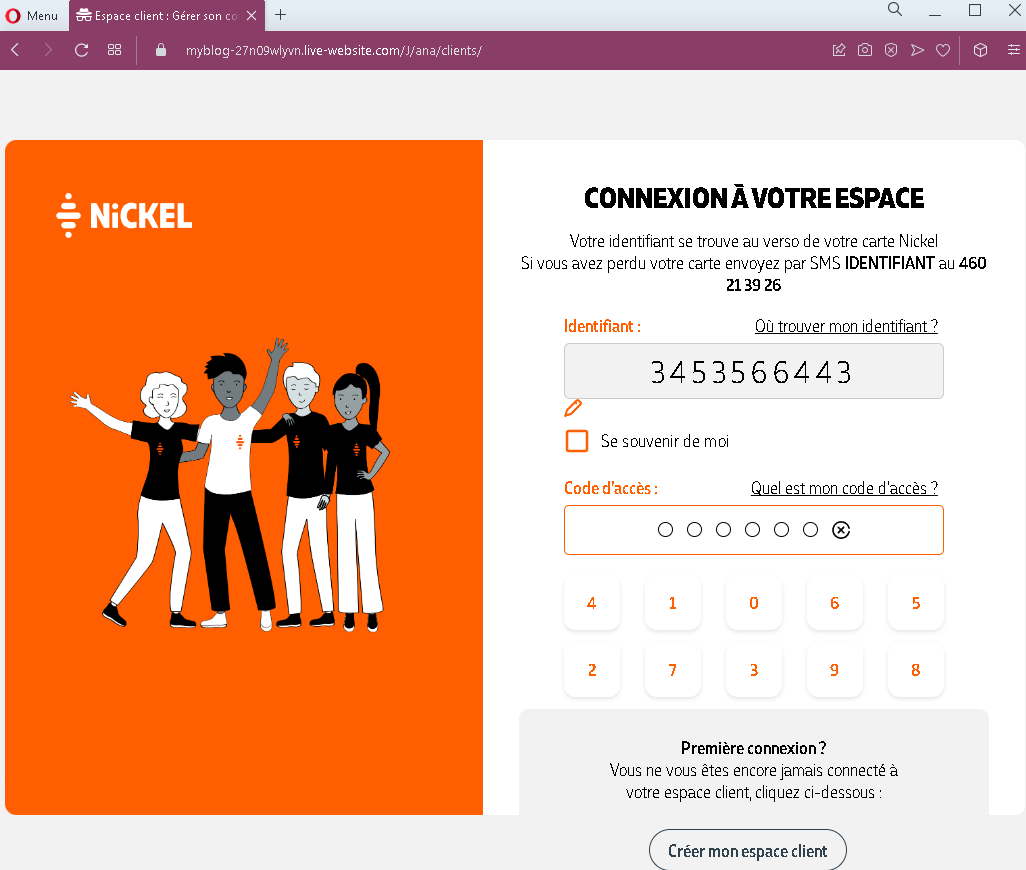
Step 2 – Fake Access Code Page with Virtual Keyboard
The second page asks for:
- Identifier (pre-filled or re-entered)
- Access code (a numeric PIN) using a virtual keyboard
The virtual keyboard is a common security feature in French banking, used to protect against keyloggers. Its presence here is intended to make the page appear legitimate.
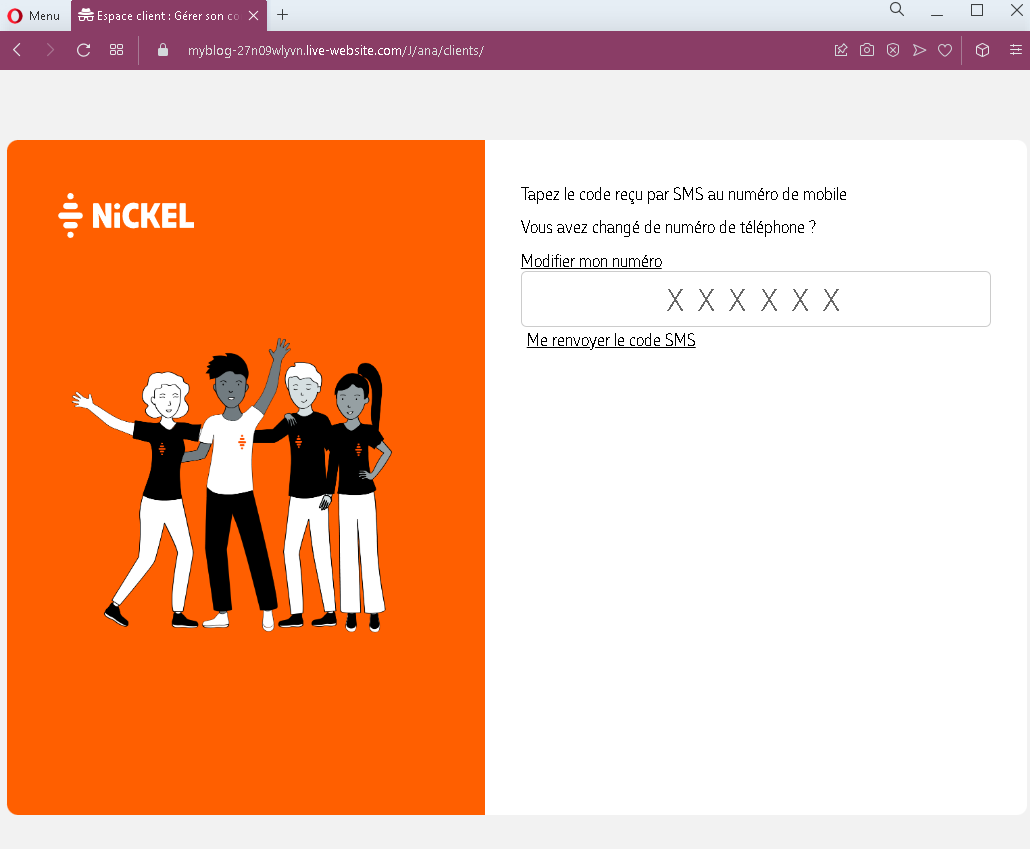
Step 3 – Fake SMS Code Page
The third page asks for the SMS code sent to the victim’s mobile phone. This is the two-factor authentication (2FA) code used to verify the login.
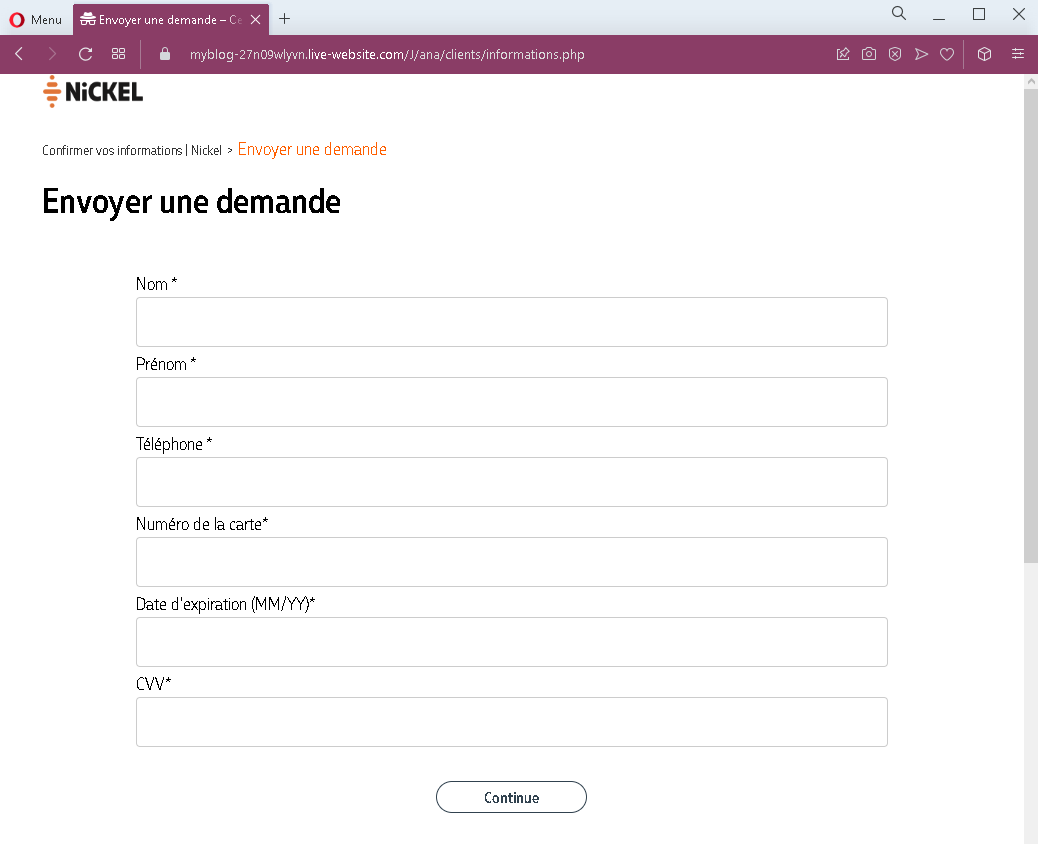
Step 4 – Fake Card Details Page
The fourth page requests full card details.
This page is designed to capture all the information needed to use the victim’s card for online purchases or to clone the card.
The goal:
The attacker aims to:
- Steal the victim’s Nickel account credentials (identifier and access code)
- Intercept the SMS verification code (2FA)
- Obtain full card details (number, expiration, CVV)
With this combination, the attacker can:
- Log into the victim’s Nickel account
- Make online purchases using the card details
- Potentially withdraw funds or transfer money
- Commit identity theft using the victim’s personal information
Red flags to watch for:
- Suspicious URL: The pages are hosted on domains that are not
nickel.euor any official Nickel domain. Legitimate Nickel online access is through the official website or app. Always check the address bar. - Multiple sensitive data requests: A legitimate login process would not ask for identifier, access code, SMS code, and full card details in sequence. This combination is a clear sign of a phishing kit.
- Unsolicited login request: Nickel does not send emails or messages with links requiring customers to log in and provide this level of information to resolve account issues.
- Card details page after login: After successfully entering credentials and SMS code, a legitimate bank would not ask for full card details. This is a phishing page designed to capture card data after the victim believes they are already logged in.
- Virtual keyboard: While real Nickel uses a virtual keyboard for security, phishing pages often replicate this feature to appear legitimate. Its presence alone does not guarantee safety.
- Generic design: The pages mimic Nickel’s branding but lack the full account-specific information that would appear on a legitimate logged-in session.
What to do if you encounter this:
- Do not enter your identifier, access code, SMS code, or card details on these pages.
- If you are a Nickel customer, always access your account by typing
nickel.eudirectly into your browser or by using the official Nickel mobile app. - If you have already entered your credentials and SMS code but not card details, contact Nickel immediately to change your credentials and secure your account. Assume the attacker may have already accessed your account.
- If you have entered your card details, contact Nickel’s fraud department immediately to block your card and dispute any unauthorized transactions.
- Report the phishing pages to Nickel’s fraud team.
Why this scam is particularly dangerous:
This is a complete account takeover and card fraud phishing kit. The multi-step flow closely mimics legitimate banking processes (identifier, access code, SMS verification), making it highly convincing. The final request for card details is especially dangerous because victims may believe they need to “re-enter” their card information after a security update. The virtual keyboard adds an extra layer of perceived legitimacy.
Protective measures:
- Bookmark the official Nickel login page and use that bookmark to access your account—never click links in emails or messages.
- Use a password manager: It will autofill only on legitimate
nickel.eudomains, not on phishing sites. - Never enter your SMS verification code on a page you reached via a link. Legitimate banks only ask for 2FA codes after you have initiated a login on their official site.
- Never enter your full card details (CVV included) after logging in. This is not a standard banking practice.
- Be suspicious of any unsolicited message that creates urgency and asks you to log in to your bank account.
- Check the URL carefully: Legitimate Nickel domains end with
nickel.eu. Look for misspellings, extra words, or unusual top-level domains. - If in doubt, contact Nickel directly using a phone number from your bank statement or the official website—never use contact information provided in a suspicious message.