
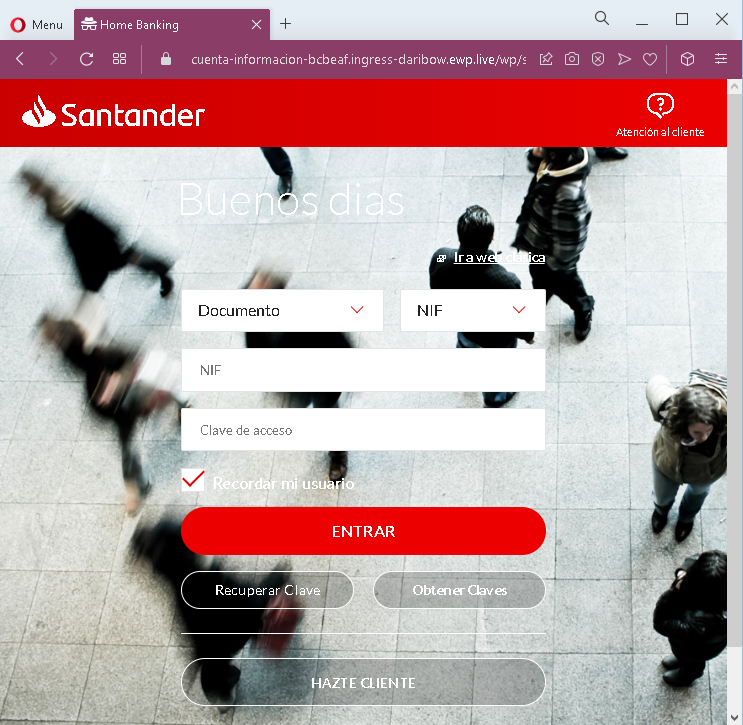
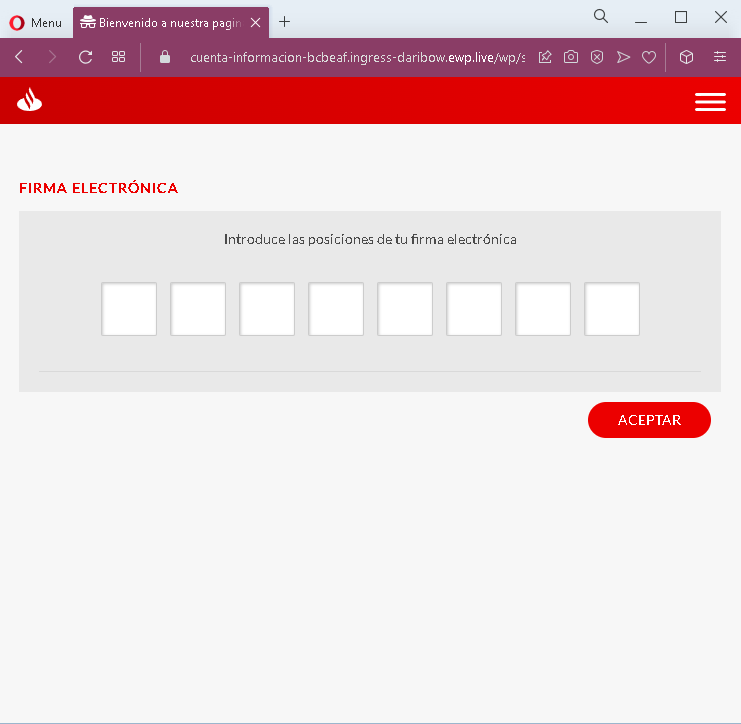
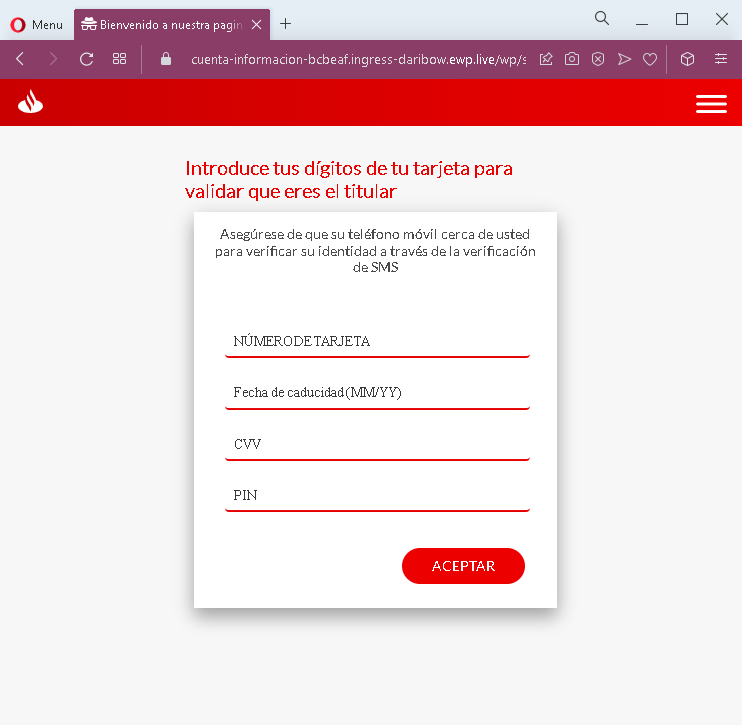
Yet one example:
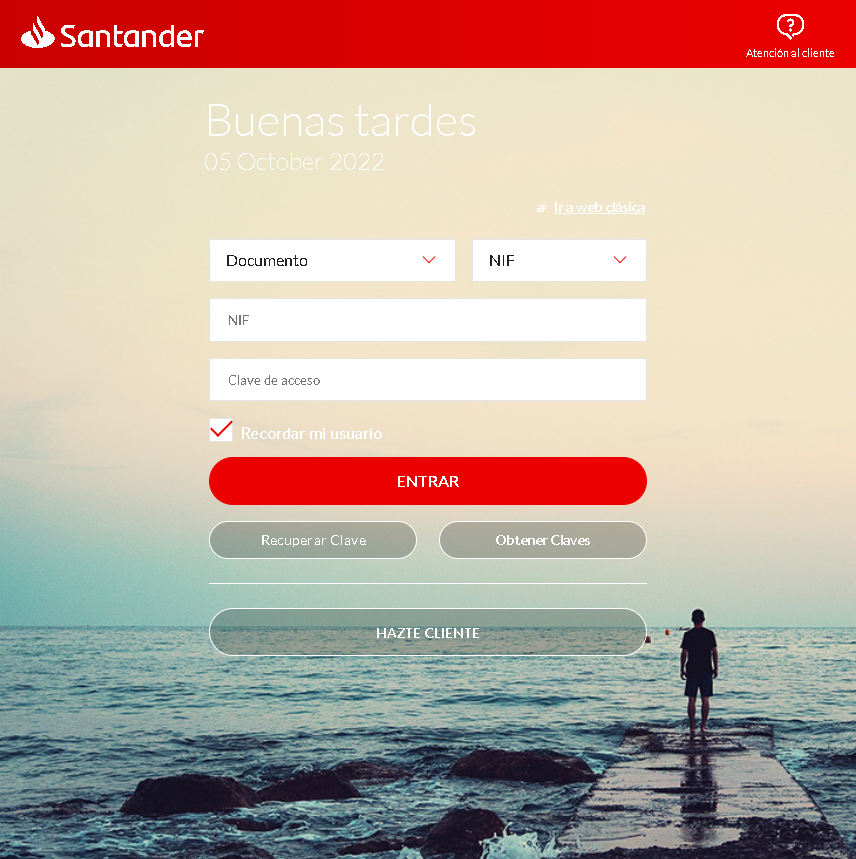
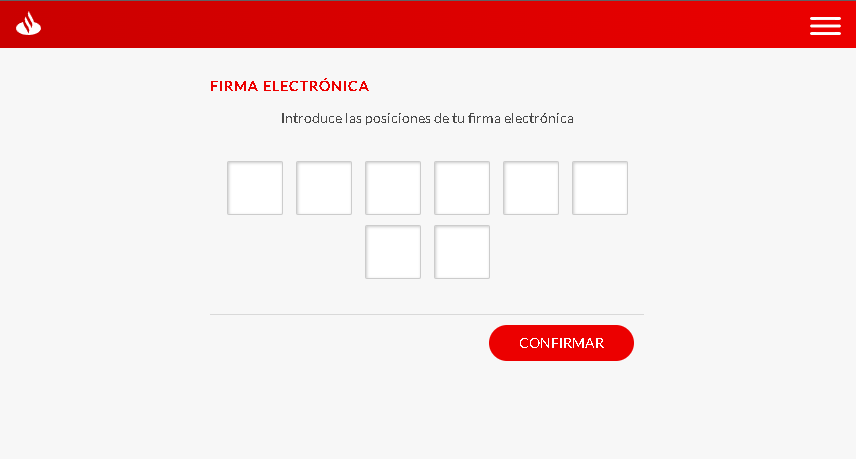
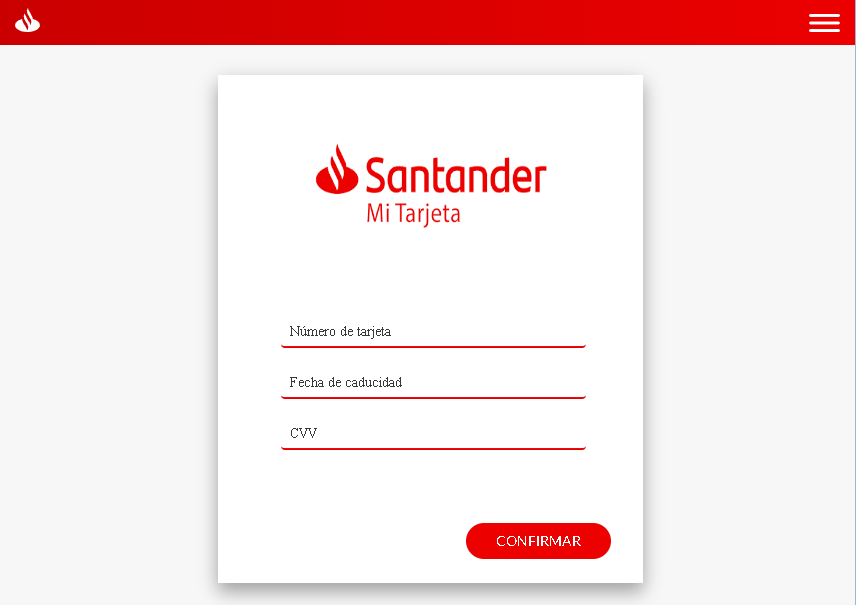
These six screenshots show a multi‑step phishing campaign impersonating Santander Bank, targeting Spanish‑speaking customers. The attack is designed to harvest:
- Online banking credentials (documento and clave)
- Electronic signature coordinates (a second factor used in Spanish banking)
- Full card details (number, expiration, CVV)
- PIN (likely the card’s ATM PIN)
The flow mimics real Santander security steps, making it particularly convincing.
Threat Analysis: Santander Phishing – Credential, Electronic Signature & Card Data Harvesting
Step 1 – Fake Login Page (Screenshots 1 & 4)
The victim lands on a page that looks like Santander’s online banking login. It asks for:
- Documento (NIF – national ID)
- Clave de acceso (password)
“Recordar usuario” and links to recover credentials are included to appear legitimate.
Step 2 – Fake Electronic Signature Page (Screenshots 2 & 5)
After submitting credentials, the victim is asked to enter the positions of their “electronic signature” – a real second‑factor authentication method used by Spanish banks. The page typically asks for specific digits from a pre‑established grid. This step captures the second factor needed to authorize transactions.
Step 3 – Fake Card & PIN Verification Page (Screenshots 3 & 6)
The final step asks for:
- Card number
- Expiration date (MM/YY)
- CVV
- PIN (the card’s ATM or security PIN)
A message claims this is to “verify the cardholder” and that an SMS will be sent – a common tactic to make the victim believe this is a normal security check.
The goal:
The attacker captures:
- Online banking credentials (documento + password)
- Electronic signature coordinates (second factor)
- Full card details (number, expiry, CVV)
- ATM or card PIN
With this combination, the attacker can log into the victim’s bank account, authorize transactions, and use the card for ATM withdrawals or online purchases.
Red flags to watch for:
- Suspicious URL: All pages are hosted on a domain that is not
santander.esor the official Santander domain. - Multi‑step flow with excessive requests: A legitimate bank login does not require entering electronic signature positions and full card details + PIN in a single session.
- PIN request on a web page: Banks never ask for your ATM PIN on a website.
- Unsolicited login request: Santander does not send links requiring customers to log in and complete multiple verification steps.
- Copied branding: The pages use Santander’s logo, color scheme, and terminology, but the design has inconsistencies compared to the real site.
What to do if you encounter this:
- Do not enter any information on these pages.
- If you are a Santander customer, always access online banking by typing the official URL directly (e.g.,
santander.es). - If you have already entered your credentials, electronic signature positions, or card details, contact Santander immediately to block your account, card, and change all credentials.
- Report the phishing pages to Santander’s fraud team.
Protective measures:
- Never click links in unsolicited messages claiming bank issues.
- Use a password manager – it will not autofill on fake domains.
- Never provide your card PIN or CVV on a page reached via a link.
- Enable two‑factor authentication through the bank’s official app, not via web links.
- Check the URL carefully: Legitimate Santander domains end with
santander.es(or.comfor other countries). Look for misspellings, extra words, or unusual top‑level domains.