
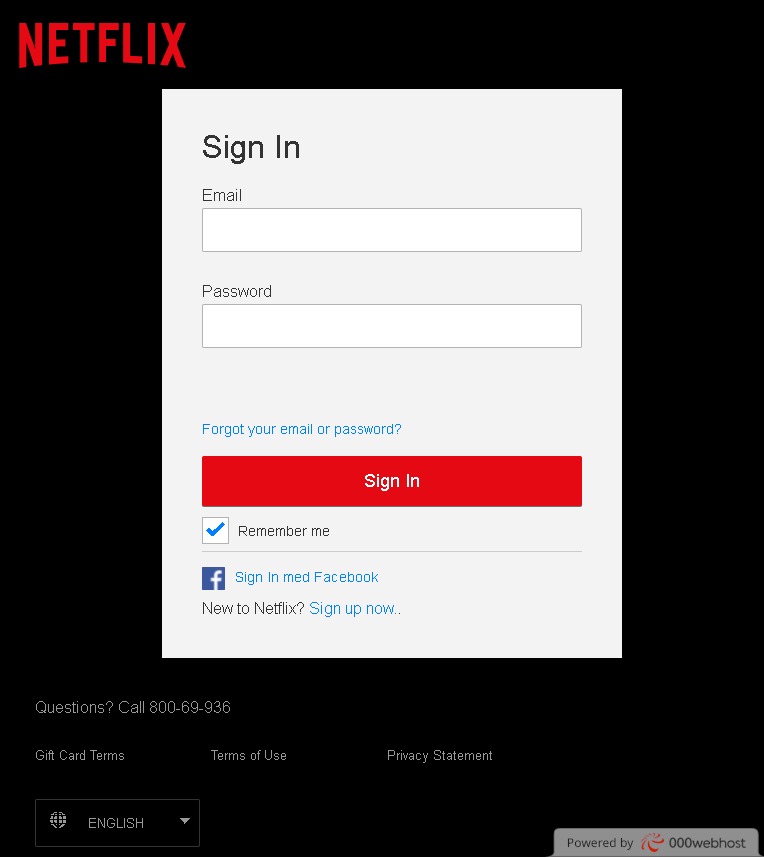
🛡️ Netflix “Account On Hold” Phishing
Target: Netflix Subscribers Worldwide (Detected in Montreal/Canada)
Threat Level: High (Credit Card Skimming & Account Hijacking)
Security Measures to Stay Safe:
- 1. Verify the Official Domain (The “.com” Rule):
Official Netflix pages always reside on netflix.com. Phishing sites use deceptive lookalike addresses like netflix-payments.online, update-netflix-account.net, mon-compte-netflix.fr, or free subdomains like netflix.web.app. Always check the address bar manually. - 2. Netflix Never Asks for Card Details via SMS/Email Links:
If there is a real problem with your billing, Netflix will notify you inside the official app or on the website after you log in safely. They will never send a link to a form asking for your credit card number, CVV, and expiration date directly in an email or text message. - 3. The “Manual Entry” Policy:
If you receive an alert saying “Your account is on hold” or “Update your payment method,” do not click the link. Instead, open a new browser tab, manually type ://netflix.com, and log in. If there is a real issue, you will see a banner at the top of your profile. - 4. Check for “Urgent” Pressure Tactics:
Scammers use alarming language like “Your subscription will be cancelled in 24 hours” to make you panic. This is a clear red flag. Legitimate services usually give you several days or grace periods to resolve billing issues. - 5. Inspect the Sender’s Address:
Official Netflix emails always come from @netflix.com. Be wary of senders with random domains, misspelled names (e.g., [email protected]), or generic addresses. - 6. Use a Password Manager:
Tools like Bitwarden or 1Password recognize sites by their exact URL. If you are on a fake Netflix site, your password manager will not offer to auto-fill your login. This is your best technical warning that the site is a fraud.