
A phishing campaign targeting HSBC Bank customers uses a fake “Secure Key” synchronization alert to steal login credentials and real-time, six-digit security codes. This sophisticated attack mimics official security procedures to bypass multi-factor authentication, directing victims to fraudulent, lookalike domains.
Threat Intel: This deceptive layout was detected, analyzed, and contained firsthand by the
Antiphishing.bizsecurity team during our daily link moderation procedures. To protect the public, the dangerous destination URL has been completely disabled within our infrastructure. We document and analyze these live visual patterns to help security researchers and users detect replica fraud techniques before financial damage occurs.
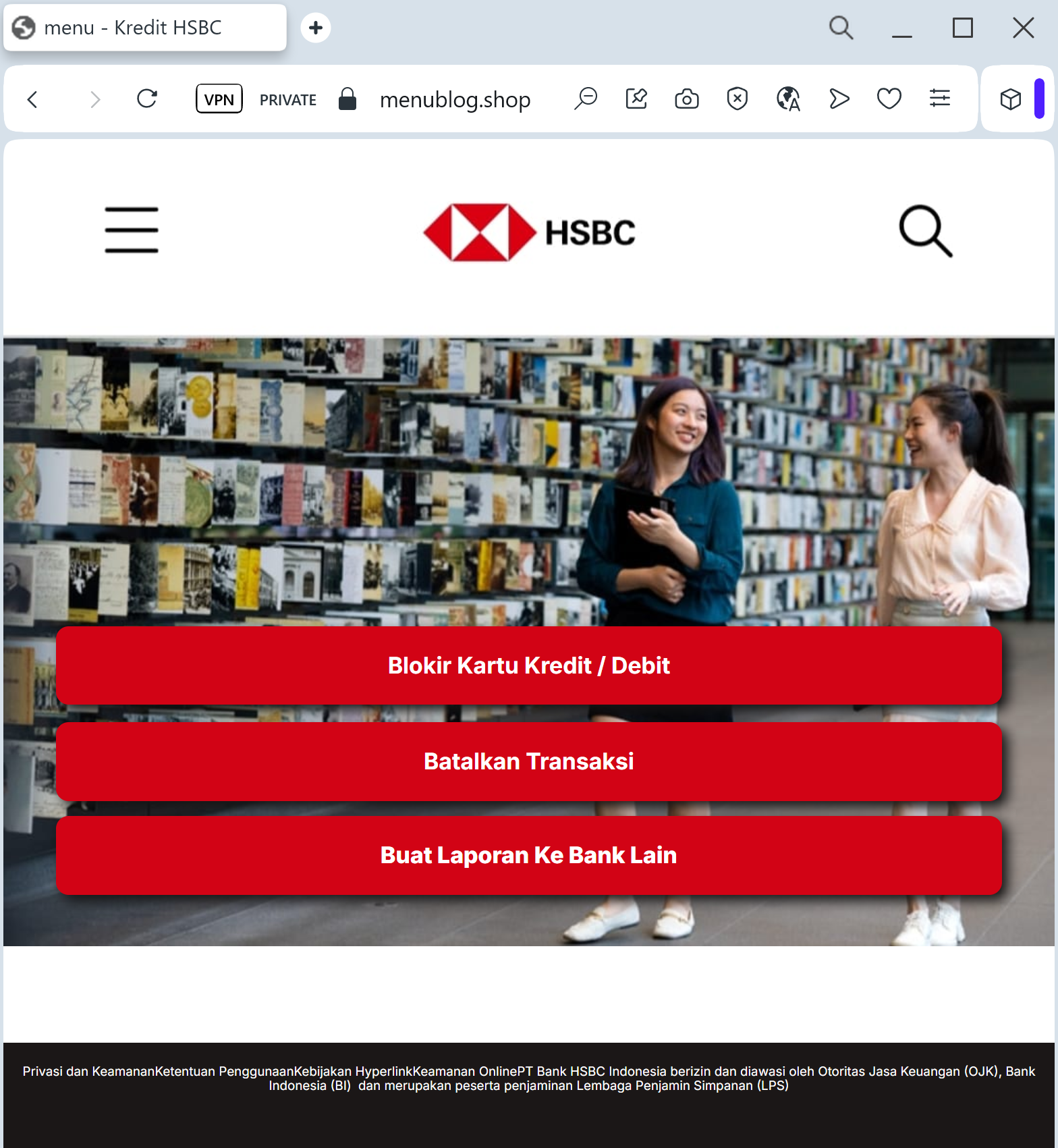
Target: HSBC Bank Customers (Global / UK / Hong Kong)
Threat Level: Critical (Physical & Digital Secure Key Hijacking)
Phishing Method Description
This attack targets the core security feature of HSBC banking: the Digital Secure Key (app-based) or the physical Secure Key (hardware token). Scammers distribute high-pressure alerts via SMS or Email claiming a “New Payee has been added” or “Your Secure Key requires a mandatory update to avoid account suspension.”
The link leads to a sophisticated Brand Impersonation portal. The phishing kit is designed to harvest:
Username / IB User ID
Memorable Answer (Secret questions)
Secure Key Codes: The fake site prompts the victim to generate a code on their physical device or app and enter it. This code is used by the attacker in real-time to authorize a large fraudulent transfer.
Red Flags to Watch For
Deceptive Domain: The official domain is
hsbc.com (or local variants like hsbc.co.uk). Phishing sites use addresses like hsbc-online-security.net, secure-login-hsbc.com, or hsbc-verification.org.Real-Time Interception: If the website asks for a Secure Key code immediately after you enter your username, it is a sign that a threat actor is attempting a concurrent login on the official site.
Generic Links: HSBC has a strict policy against sending direct links to login pages in security alert emails or SMS.
How to Protect Yourself
Trust the Physical Device: If you use a physical Secure Key, remember that it is designed to authorize specific actions. Never enter a code from your device onto a website unless you are 100% sure you are on the official HSBC site you accessed manually.
App Notifications: Use the HSBC UK Mobile Banking (or local) app. Authentic security alerts will appear as secure messages within the app.
The “Payee” Trick: If you get an alert about a “New Payee” you didn’t add, do not click the link to “cancel” it. Log in via the official app to verify your recent activity.
Reporting: You can report HSBC phishing by forwarding suspicious emails to hostingabuse@
hsbc.com or suspicious SMS to the short code 7726.
Expert Security Tip:
This attack is designed to bypass Multi-Factor Authentication (MFA) by tricking you into providing a “one-time” code. Your HSBC Secure Key is your final line of defense; never use it to “verify” your identity on a page reached through a link. Treat any request for a security code as a request for your money.