
A high-fidelity Arvest Bank phishing campaign targets U.S. customers using SMS and email to steal credentials and intercept real-time MFA codes via fraudulent “sync” pages. Scammers use lookalike domains to trick users into providing login IDs, passwords, and security codes to bypass two-factor authentication, with official, manual access to arvest.com being the primary defense.
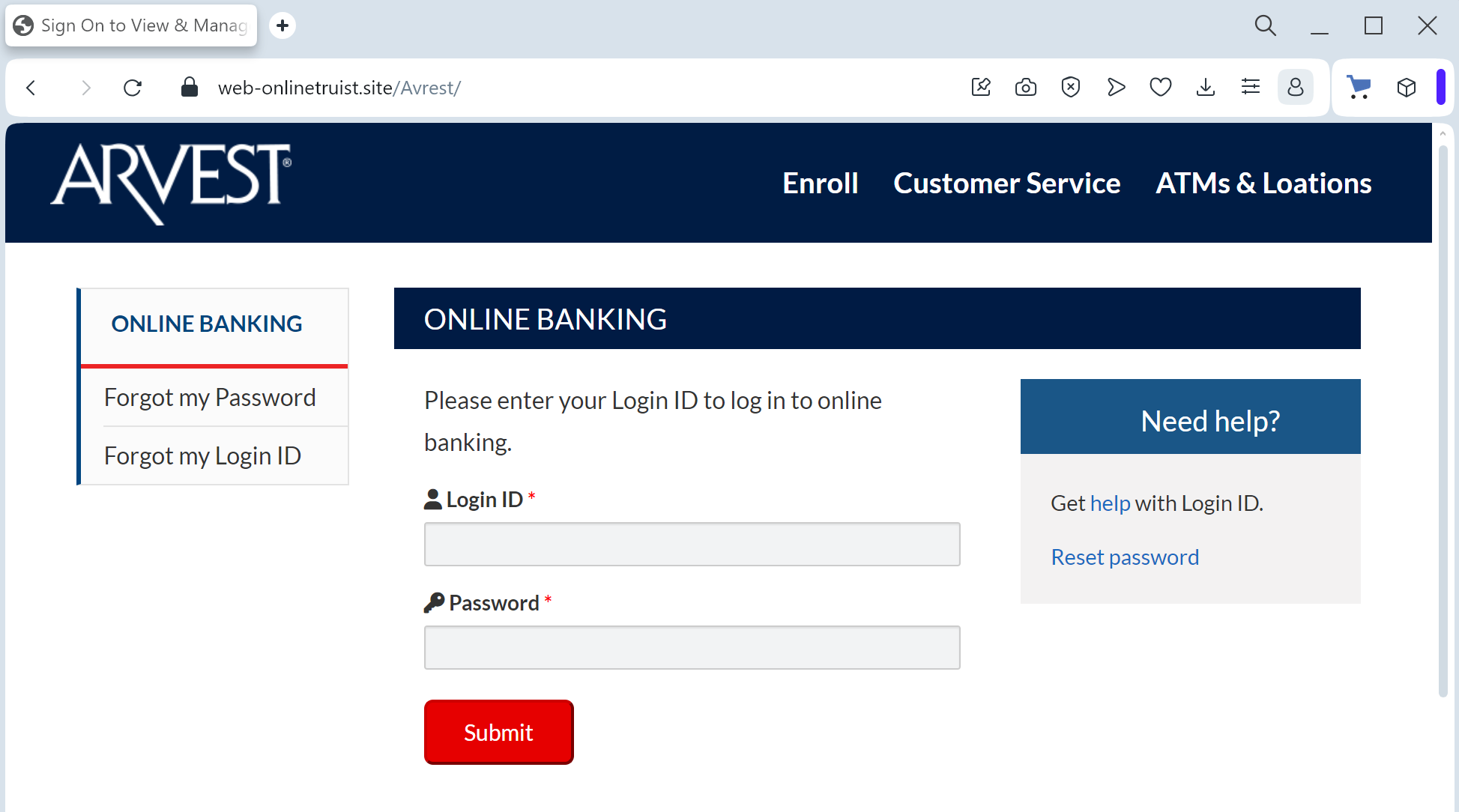
This phishing campaign targeting Arvest Bank customers uses fraudulent SMS or email alerts claiming account security issues to direct victims to a spoofed, high-fidelity login portal. Scammers utilize a real-time proxy attack to harvest usernames, passwords, Social Security Numbers, and multi-factor authentication (MFA) codes, allowing them to bypass security and seize full account control.
Arvest Bank “Account Verification” Phishing
Target: Customers of Arvest Bank (USA – Arkansas, Oklahoma, Missouri, Kansas)
Threat Level: Critical (Online Banking Access & Personal Data Theft)
Phishing Method Description
This attack targets users of Arvest Online Banking. Scammers use a “Service Interruption” or “Security Alert” pretext to create a sense of urgency. Victims typically receive a Phishing Email or SMS (Smishing) stating that their account has been “locked for security reasons” or that they must “validate their profile” to comply with new federal banking regulations.
The link in the message directs the victim to a high-fidelity clone of the official Arvest Bank login portal. This sophisticated phishing kit is designed to perform a multi-step harvesting process:
Initial Credentials: The site captures the Online Banking Login ID and Password.
Identity Verification: Once the login is “submitted,” the victim is redirected to a second form asking for highly sensitive data: Social Security Number (SSN), Date of Birth, and Mothers Maiden Name.
Real-Time 2FA Bypass: The fake site prompts for the Secure Access Code (MFA). The attacker intercepts this code in real-time to gain full control of the actual account.
⚠️ Red Flags to Watch For
Domain Irregularities: The official Arvest Bank website is arvest.com. Phishing sites use deceptive lookalikes such as arvest-online-secure.net, verify-arvest.com, login-arvest-bank.org, or free subdomains like arvest.web.app.
Excessive Data Requests: Arvest Bank will never ask you to provide your full Social Security Number or all your security challenge answers in a single session just to “verify” your identity via a link.
Inconsistent Branding: Look for subtle differences in the logo resolution, font styles, or broken links in the footer (e.g., the “Privacy” or “Locations” buttons often do not work on fake sites).
🛡️ How to Protect Yourself
The “Manual Entry” Rule: Always access your accounts by typing ://arvest.com manually into your browser. Never use links from unexpected emails or text messages.
Use the Arvest App: Manage your banking through the official Arvest Go mobile app. Real security notifications will be delivered inside the secure app environment.
Verify by Phone: If you receive a suspicious alert, call the official Arvest customer service at (866) 952-9523 before taking any action.
💡 Expert Security Tip: The “Data Over-Collection” Red Flag
The Method:
This Arvest Bank case is a prime example of Full Identity Harvesting. Scammers are not just looking for a one-time login; they are looking to steal your Full Identity (Fullz).
The Trap:
By asking for your SSN and Security Questions alongside your password, the hackers are building a comprehensive profile that allows them to bypass future security checks, open new credit lines in your name, and even take over your other financial accounts.
How to Protect Yourself:
The “Minimalist” Rule: A legitimate bank already knows your SSN and your security answers. They will never ask you to provide all of them at once in a bulk “update” form.
MFA Awareness: Treat every Secure Access Code as the “keys to the kingdom.” If you receive a code that you did not personally trigger by logging in via the official app/site, delete it immediately—it means a hacker is trying to get into your account right now.
Zero Trust for Links: If an email or text message contains a link to a sensitive login page, it is almost certainly a scam. Banks send notifications, not links.