
Security Notice: This spoofed page was logged, cross-checked, and neutralized firsthand by the
Antiphishing.bizsecurity team during our daily link moderation procedures. To protect the public, the dangerous destination URL has been safely deactivated within our infrastructure. We document and analyze these live visual patterns to help security researchers and users detect replica fraud techniques before financial damage occurs.
The link above leads to the phishing site:
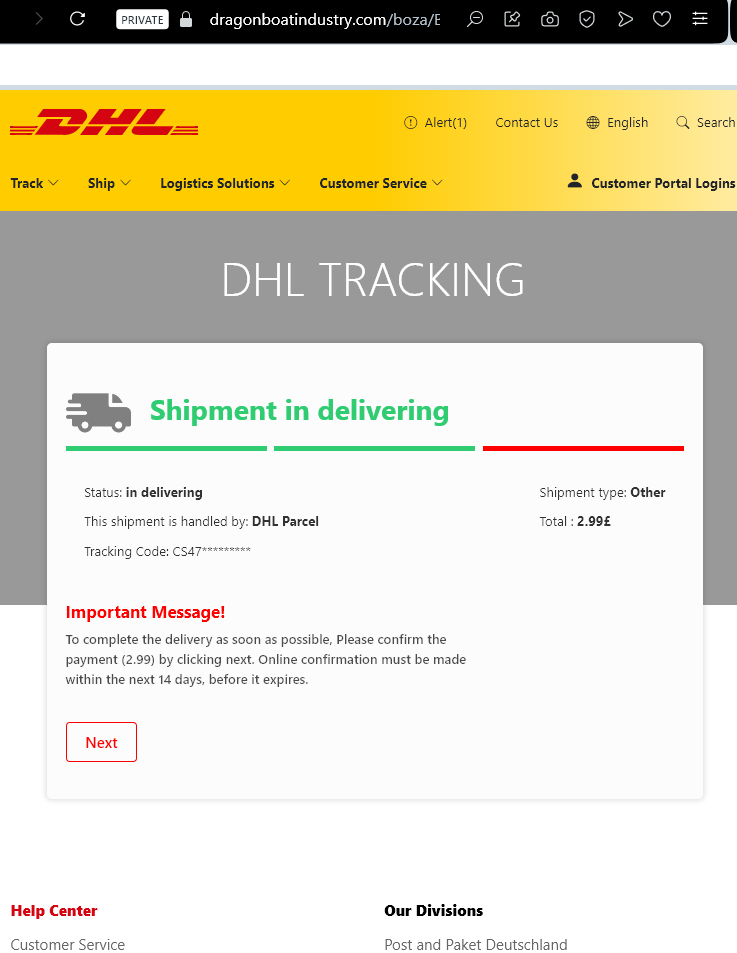

DHL Package Delivery Scam (Smishing/Email Phishing)
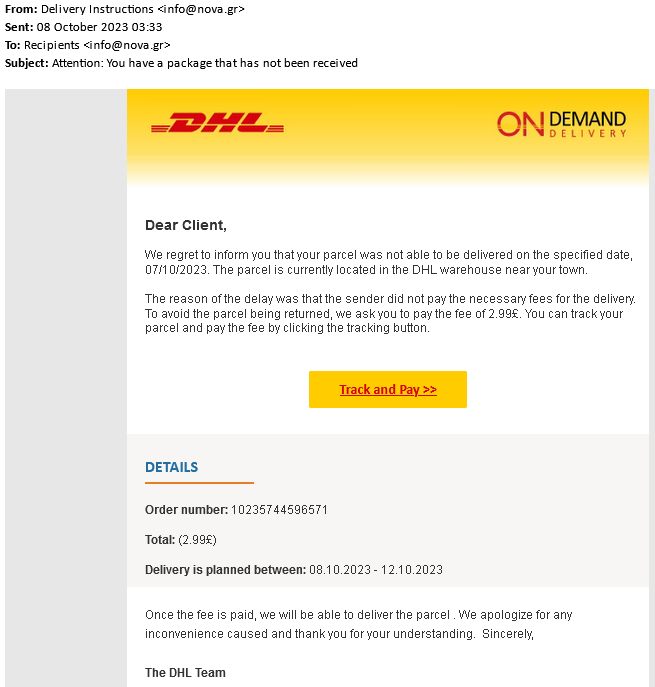
This phishing campaign impersonates the international shipping company DHL. The email informs the recipient that a package cannot be delivered due to a problem with the address or a failed delivery attempt, creating a sense of urgency.
How it works:
The email contains a link that leads to a fake DHL tracking page (as shown in your screenshot). If the victim clicks the link, they are taken to a fraudulent website designed to collect personal and financial information. The final step of the scam typically asks for credit or debit card details under the guise of a small “redelivery fee” or “customs processing fee.” Once entered, the card information is stolen and can be used for fraudulent transactions.
Red Flags to Watch For:
Sender’s email address: The email often comes from a generic or misspelled domain, not an official @dhl.com address.
Generic greeting: Legitimate DHL communications usually include your name or a reference number; phishing emails often start with “Dear Customer” or “Dear User.”
Spelling and grammar: Look for awkward phrasing or minor errors in the subject line and body.
The link: Hover over the link without clicking—if the URL does not match dhl.com or contains unusual characters, it is a phishing site.
Request for payment: DHL does not ask for payment via a link in an email for redelivery. Always log in to the official DHL website or app directly to verify any outstanding charges.
What to Do if You Receive This Email:
Do not click any links or download any attachments.
Do not enter any personal or banking information.
If you are expecting a package, go directly to the official DHL website (dhl.com) and use your tracking number to verify its status.
Report the phishing attempt to DHL and forward the email to your local anti-phishing authorities (e.g., in the US: reportphishing@apwg.org).
By understanding these tactics, you can avoid falling victim to this type of scam and protect your financial information.