
Threat Intel: This scam layout was intercepted, verified, and locked down firsthand by the
Antiphishing.bizsecurity team during our automated link scanning workflows. To protect the public, the hostile origin link has been completely disabled within our infrastructure. We document and analyze these live visual patterns to help security researchers and users recognize deceptive clone designs before financial damage occurs.
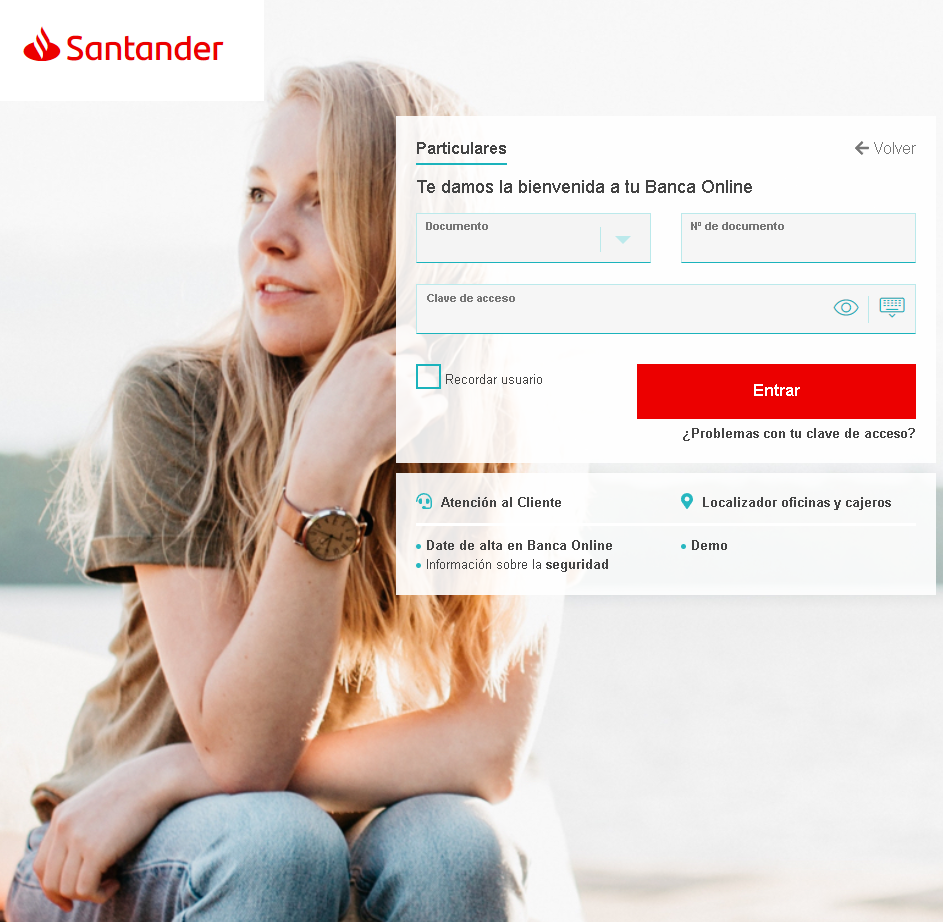
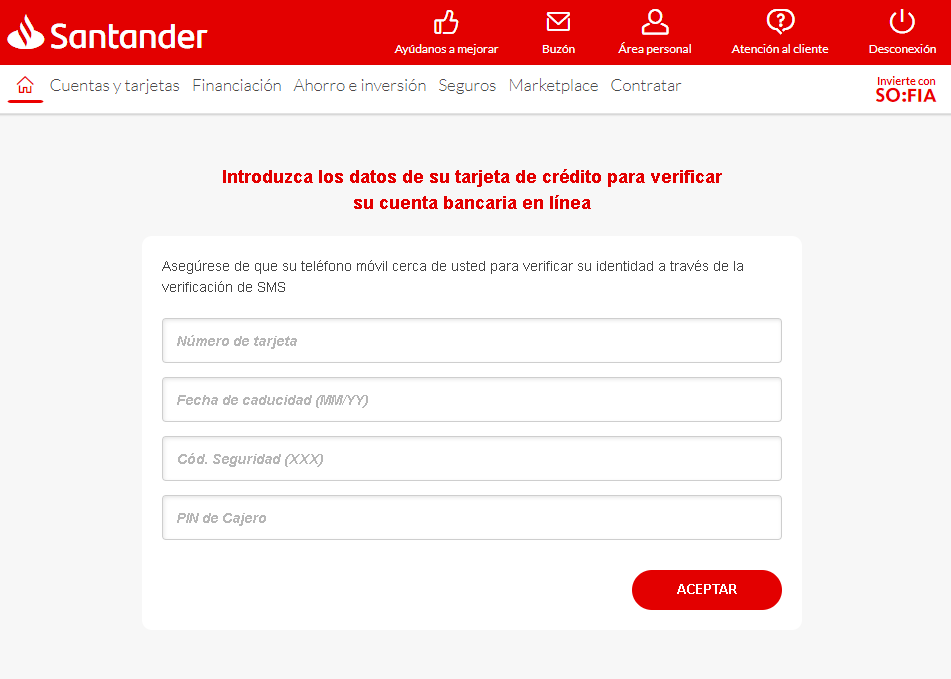
These two screenshots show a two‑step phishing campaign impersonating Santander Bank, targeting Spanish‑speaking customers. The scam is designed to first capture online banking credentials (document number and password) and then harvest full card details and the ATM PIN.
Threat Analysis: Santander Phishing – Credential & Full Card Data Harvesting
Step 1 – Fake Login Page (First Screenshot)
The page mimics Santander’s online banking login, asking for:
- Document number (national ID)
- Clave de acceso (password)
Step 2 – Card Verification Page (Second Screenshot)
After submitting credentials, the victim is told to “verify” their account by entering:
- Card number
- Expiration date (MM/YY)
- Security code (CVV)
- ATM PIN
The page claims an SMS verification will follow.
The goal:
The attacker collects:
- Online banking credentials to access the account
- Full card details (number, expiry, CVV) for fraudulent purchases
- ATM PIN to enable cash withdrawals or additional fraud
Red flags:
- Suspicious URL: The pages are not on
santander.com - ATM PIN request: A legitimate bank never asks for your ATM PIN on a website.
- Illogical flow: After logging in, a bank does not require you to re‑enter your card details and PIN to “verify” your account.
- No personalization: Real Santander login pages display a security image or personal greeting after ID entry.
What to do if you encounter this:
- Do not enter any credentials, card details, or PIN.
- If you have already entered them, contact Santander immediately to block your card and secure your account.
- Always access Santander by typing
santander.com
Protective measures:
- Bookmark the official Santander login page and use it exclusively.
- Never provide your card’s CVV or ATM PIN on a page you reached via a link.
- Enable two‑factor authentication through the bank’s official app.