
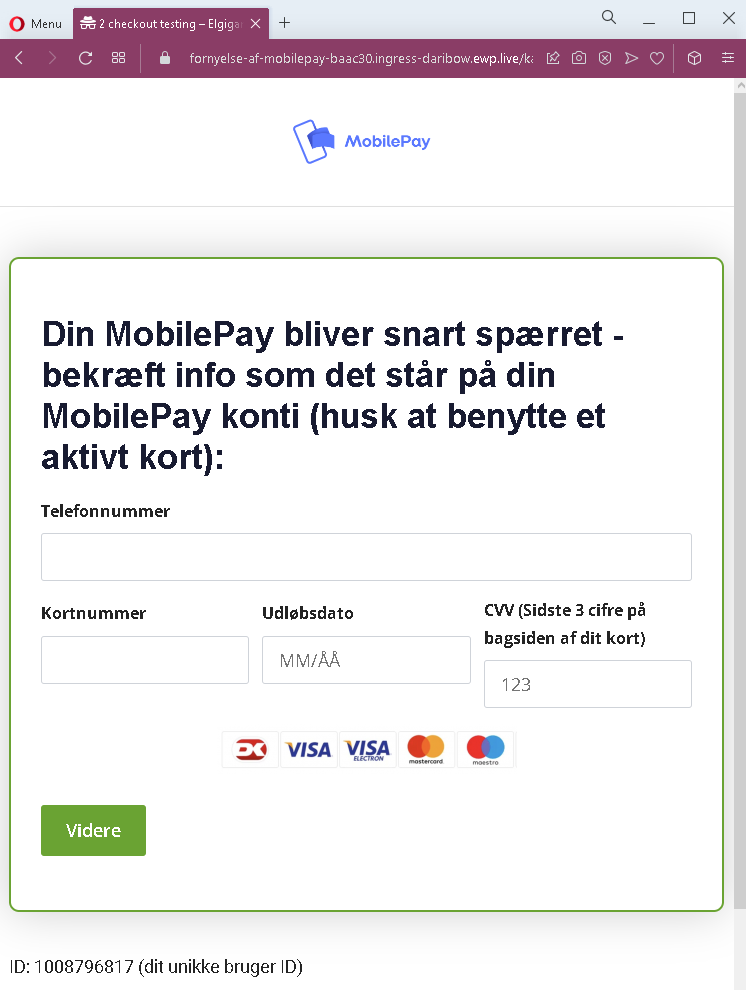
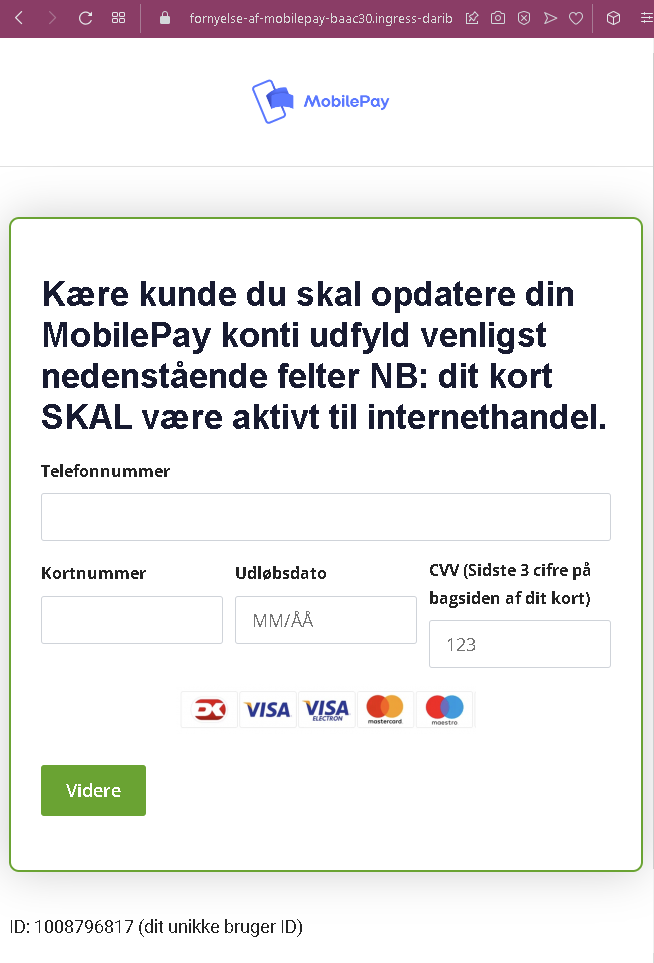
These two screenshots show a Danish‑language phishing campaign impersonating MobilePay, a popular mobile payment service in Denmark. The scam threatens account suspension and demands that the victim provide their phone number, full card details, and CVV under the pretext of “updating” the account.
Threat Analysis: MobilePay Phishing – Account Suspension Threat & Card Harvesting
How it works:
The victim receives an SMS, email, or message claiming that their MobilePay account will soon be blocked. To prevent this, they must “confirm” their information by clicking a link that leads to one of these pages.
The pages ask for:
- Phone number (linked to the MobilePay account)
- Card number
- Expiration date (MM/ÅÅ)
- CVV (the three‑digit security code on the back of the card)
A “unique user ID” is displayed to make the page appear personalized, but it is the same static number on all pages.
The goal:
The attacker collects:
- The victim’s phone number (used for SIM‑swapping or further fraud)
- Full credit/debit card details (number, expiry, CVV) to make unauthorized purchases or clone the card
Red flags to watch for:
- Suspicious URL: The page is hosted on a domain that is not
mobilepay.dk. Legitimate MobilePay services are accessed through the official app or website. - Threat of account closure: MobilePay does not send unsolicited links threatening to block accounts.
- Request for CVV: MobilePay never asks for your card security code to “update” or “verify” your account.
- Static “unique” ID: The displayed ID (1008796817) is identical on both pages – a clear sign of a phishing template.
- Poor Danish phrasing: The text contains minor grammatical inconsistencies that would not appear in official communications.
- Unsolicited action required: Any legitimate request to update payment information would happen within the app or after logging in, not via a link.
What to do if you encounter this:
- Do not enter your phone number, card details, or CVV.
- If you are a MobilePay user, always open the official app to check for any notifications or account issues.
- If you have already entered card details, contact your bank immediately to block the card.
- Report the phishing page to MobilePay’s fraud team.
Protective measures:
- Never click links in unsolicited messages threatening account closure.
- Always use the official MobilePay app to manage your account.
- Never provide your card’s CVV outside of a trusted, direct purchase environment.
- Enable two‑factor authentication on your bank and email accounts.