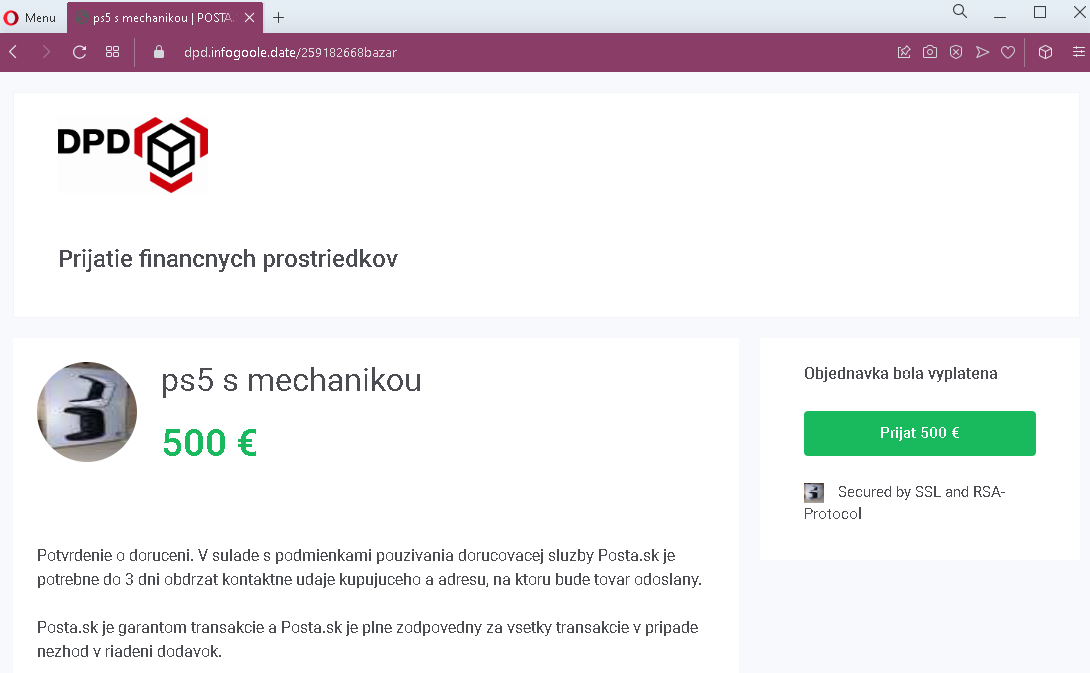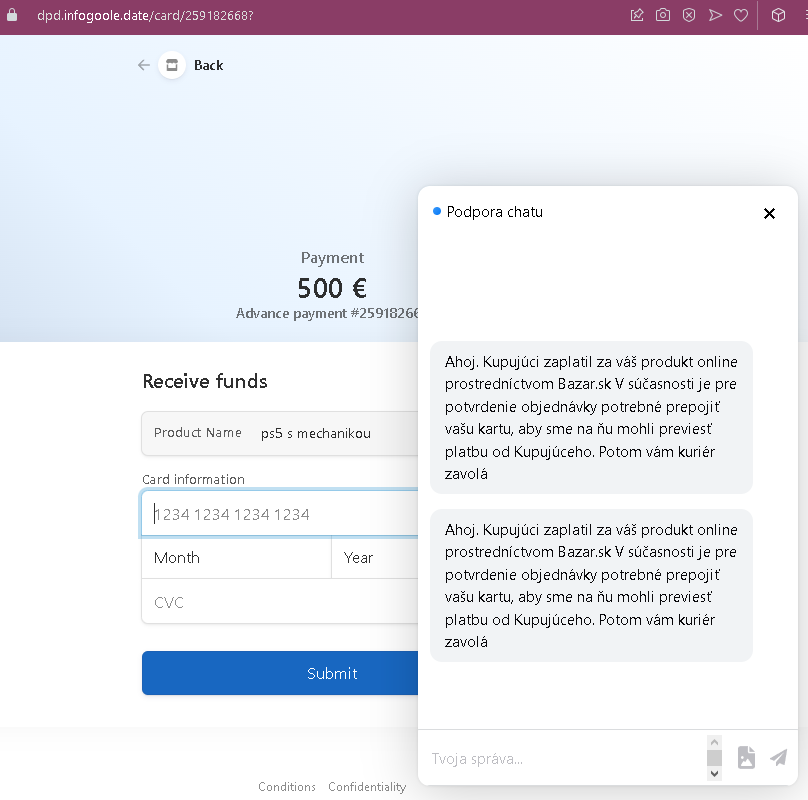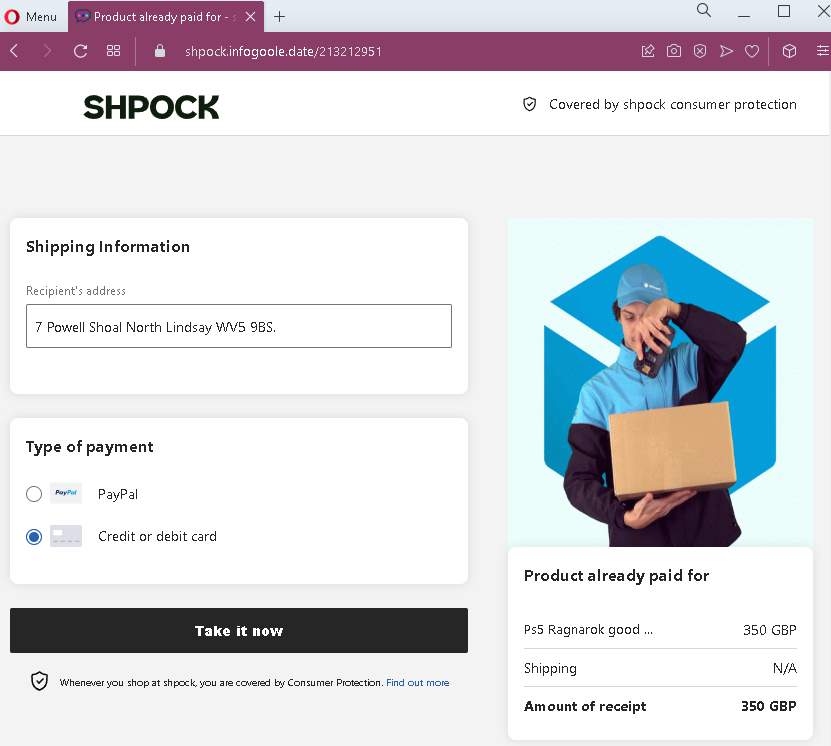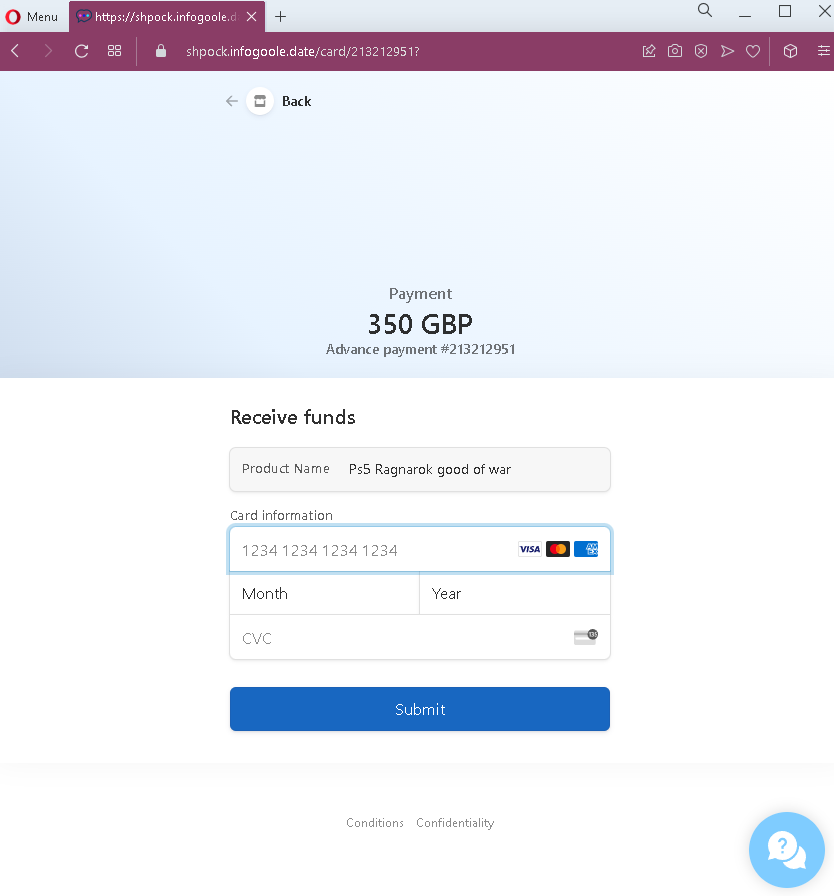
First National Bank (FNB) phishing page detected


FNB Online Banking Phishing – Credential Harvesting Page

This phishing campaign impersonates FNB (First National Bank) , a major bank in South Africa. The page is designed to steal customers’ online banking credentials—specifically the Username and Password used to access FNB’s online banking platform.

How it works:
The victim receives a phishing email, SMS, or other message claiming a security alert, account issue, or the need to verify their information. The message includes a link to this fake FNB login page. When the victim enters their Username and Password and clicks “Login,” the credentials are captured and sent to the attacker.

The goal:
The attacker aims to steal the victim’s FNB online banking credentials. With these, they can log into the victim’s real bank account, view balances, transfer funds, pay bills, and potentially commit further fraud.

Red flags to watch for:

  • Suspicious URL: The page is hosted on a domain that is not fnb.co.za or fnb.com. The legitimate FNB online banking domain is fnb.co.za. Always check the address bar before entering any credentials.
  • Extremely minimal design: The legitimate FNB login page includes additional security elements such as a security image, personalized greeting, or step-by-step authentication flow. This page is bare and lacks those features.
  • Generic branding: The page uses a basic FNB logo but lacks the full branding, navigation menus, and security indicators present on the real FNB site.
  • No security messaging: Legitimate FNB login pages display security tips, fraud warnings, and links to report suspicious activity. This page has none.
  • Outdated copyright notice: The footer shows “Copyright © 2020” while the legitimate site would display the current year. This is a common oversight in phishing pages.
  • Unsolicited login request: FNB does not send emails or messages with links requiring customers to log in to resolve account issues. Customers should always access online banking by typing the URL directly or using the official FNB app.

What to do if you encounter this:

  • Do not enter your Username, Password, or any other personal information on this page.
  • If you are an FNB customer, always access online banking by typing fnb.co.za directly into your browser or by using the official FNB app.
  • If you have already entered your credentials, contact FNB immediately through their official customer service hotline to secure your account and change your password.
  • Report the phishing page to FNB’s fraud department (e.g., by forwarding the original message to [email protected] or using their official reporting channels).

Why this scam is effective:
FNB is one of South Africa’s largest banks, with millions of digital banking users. The simple, clean design of the page mimics the real FNB login interface enough to deceive users who are not paying close attention to the URL. The use of the FNB logo and the familiar “how can we help you?” tagline adds to the illusion. Many phishing pages rely on the fact that users often glance at the logo and layout rather than scrutinizing the address bar.

Protective measures:

  • Bookmark the official FNB login page and use that bookmark to access online banking—never click links in emails or messages.
  • Use a password manager: It will autofill only on legitimate fnb.co.za domains, not on phishing sites.
  • Enable two-factor authentication (2FA) on your FNB account if available, to add an extra layer of protection.
  • Be suspicious of any unsolicited message that creates urgency and asks you to log in to your bank account.
  • Check the URL carefully: Legitimate FNB domains end with fnb.co.za. Look for misspellings, extra words, or unusual top-level domains.
  • If in doubt, contact FNB directly using a phone number from your bank statement or the official website—never use contact information provided in a suspicious message.

M&T Bank phishing page revealed


M&T Bank Online Banking Phishing – Credential Harvesting Page

This phishing campaign impersonates M&T Bank, a well-known bank in the United States, particularly active in the Northeast and Mid-Atlantic regions. The page is designed to steal customers’ online banking credentials—specifically the User ID and Passcode (password) used to access M&T Bank’s online banking platform.

How it works:
The victim receives a phishing email, SMS, or other message claiming a security alert, account suspension, or the need to verify their information. The message includes a link to this fake M&T Bank login page. The page mimics the real M&T Bank online banking interface, including familiar footer links. When the victim enters their User ID and Passcode and clicks “Log In,” the credentials are captured and sent to the attacker.

The goal:
The attacker aims to steal the victim’s M&T Bank online banking credentials. With these, they can log into the victim’s real bank account, view balances, transfer funds, pay bills, and potentially commit further fraud.

Red flags to watch for:

  • Suspicious URL: The page is hosted on a domain that is not mtb.com. The legitimate M&T Bank online banking domain is mtb.com. Always check the address bar before entering any credentials.
  • Outdated copyright notice: The footer shows “©2022 MAT Bank” (with a typo: “MAT” instead of “M&T”) and an incorrect year. Legitimate pages display the current year and correct branding.
  • Typographical error: The bank name is misspelled as “MAT Bank” in the copyright line—a clear indicator of a fake page.
  • Unsolicited login request: M&T Bank does not send emails or messages with links requiring customers to log in to resolve account issues. Customers should always access online banking by typing the URL directly or using the official app.
  • No personalization or security image: Legitimate M&T Bank login pages often display a security image or phrase after entering a User ID. This page lacks that additional security layer.
  • Generic footer: While the footer contains links similar to the real M&T Bank site, the presence of these links does not make the page legitimate—attackers copy them from the real website.

What to do if you encounter this:

  • Do not enter your User ID, Passcode, or any other personal information on this page.
  • If you are an M&T Bank customer, always access online banking by typing mtb.com directly into your browser or by using the official M&T Bank mobile app.
  • If you have already entered your credentials, contact M&T Bank immediately through their official customer service hotline to secure your account and change your password.
  • Report the phishing page to M&T Bank’s fraud department (e.g., by forwarding the original message to [email protected] or using their official reporting channels).

Why this scam is effective:
M&T Bank has millions of customers across the United States. The page closely mimics the design of the legitimate M&T Bank login interface, including the familiar header, form layout, and footer links. The typo in the copyright line (“MAT Bank”) is one of the few visual red flags—underscoring how carefully users must scrutinize every detail. Many users glance at the logo and layout without checking the URL or noticing small text errors.

Protective measures:

  • Bookmark the official M&T Bank login page and use that bookmark to access online banking—never click links in emails or messages.
  • Use a password manager: It will autofill only on legitimate mtb.com domains, not on phishing sites.
  • Enable two-factor authentication (2FA) on your M&T Bank account if available, to add an extra layer of protection.
  • Be suspicious of any unsolicited message that creates urgency and asks you to log in to your bank account.
  • Check the URL carefully: Legitimate M&T Bank domains end with mtb.com. Look for misspellings, extra words, or unusual top-level domains.
  • If in doubt, contact M&T Bank directly using a phone number from your bank statement or the official website—never use contact information provided in a suspicious message.

Bank of America phishing page revealed


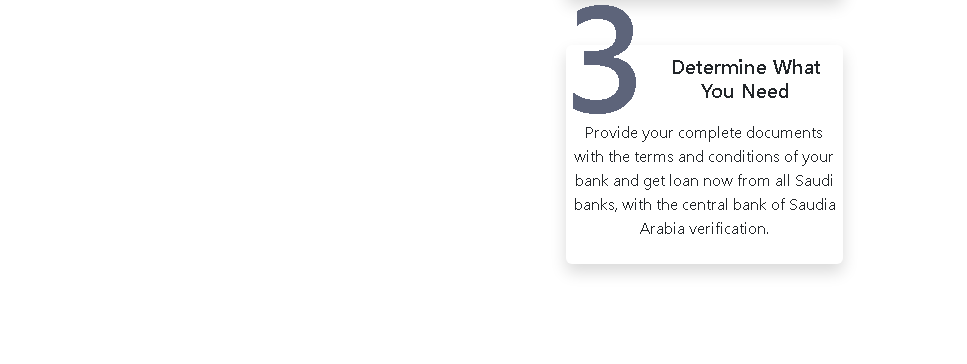
Bank of America Phishing – Fake “Preventive Unlock” Scam (Spanish Variant)

This phishing campaign impersonates Bank of America (BoA) , one of the largest banks in the United States, and targets Spanish-speaking customers. The page uses a fake security alert—claiming the account requires a “preventive unlock”—to create urgency and direct victims to a credential harvesting page.

How it works:
The victim receives a phishing email, SMS, or other message in Spanish claiming that their Bank of America account has been locked or requires verification. The message includes a link to this page. The page presents a message stating that the user must click a button to proceed with an “unlock” process. Clicking the button leads to a fake Bank of America login page (not shown in this screenshot) where the victim is asked to enter their online banking credentials.

The goal:
The attacker aims to steal the victim’s Bank of America online banking credentials (User ID and password). With these, they can log into the victim’s real bank account, view balances, transfer funds, and commit fraud.

Red flags to watch for:

  • Suspicious URL: The page is hosted on a domain that is not bankofamerica.com. Always check the address bar before interacting with any page claiming to be from your bank.
  • Poor Spanish grammar: The text contains awkward phrasing and grammatical errors that would not appear in official Bank of America communications. Legitimate bank communications are professionally written and localized.
  • Vague and irrelevant content: The page includes unrelated text about “the company” carrying out deposits in the United States, a description of a “BoA” building in Buenos Aires (Argentina), and information about Zelle. This content is copied from various sources and is not cohesive—a clear sign of a hastily assembled phishing page.
  • Generic redirect message: The page claims to be “redirecting” but presents a button to click. Legitimate banking websites do not use such redirect pages with manual confirmation buttons for account unlocks.
  • Unsolicited account action request: Bank of America does not send messages with links requiring customers to click a button to “unlock” their account. Customers should always access their accounts by typing the official URL directly or using the official app.
  • Mixed geographic references: The page mentions the United States (deposits) and Buenos Aires (Argentina) in the same context, which is inconsistent for a US-based bank targeting customers.

What to do if you encounter this:

  • Do not click the button to “Confirm” or proceed with any unlock process.
  • Do not enter any personal information, User ID, or password on any subsequent pages.
  • If you are a Bank of America customer, always access online banking by typing bankofamerica.com directly into your browser or by using the official Bank of America mobile app.
  • If you have already entered your credentials, contact Bank of America immediately through their official customer service number to secure your account and change your password.
  • Report the phishing page to Bank of America’s fraud department (e.g., by forwarding the original message to [email protected]).

Why this scam is effective:
Bank of America has a large Spanish-speaking customer base in the United States. The use of Spanish language and the “preventive unlock” pretext (which implies a security measure) can cause concern and prompt quick action. The inclusion of familiar terms like Zelle adds a veneer of legitimacy. Victims who are not carefully checking the URL may click the button and proceed to enter their credentials on the following fake login page.

Protective measures:

  • Bookmark the official Bank of America login page and use that bookmark to access online banking—never click links in emails or messages.
  • Use a password manager: It will autofill only on legitimate bankofamerica.com domains, not on phishing sites.
  • Enable two-factor authentication (2FA) on your Bank of America account to add an extra layer of protection.
  • Be suspicious of any unsolicited message that creates urgency and asks you to click a button to unlock or verify your account.
  • Check the URL carefully: Legitimate Bank of America domains end with bankofamerica.com. Look for misspellings, extra words, or unusual top-level domains.
  • If in doubt, contact Bank of America directly using a phone number from your bank statement or the official website—never use contact information provided in a suspicious message.
  • Be aware of language quality: Legitimate bank communications are professionally written. Grammatical errors, awkward phrasing, or irrelevant content are strong indicators of a scam.

FNB (FirstRand Bank Limited) phishing page detected


FNB Online Banking Phishing – Credential Harvesting Page

This phishing campaign impersonates FNB (First National Bank) , a major bank in South Africa. The page is designed to steal customers’ online banking credentials—specifically the Username and Password used to access FNB’s online banking platform.

How it works:
The victim receives a phishing email, SMS, or other message claiming a security alert, account issue, or the need to verify their information. The message includes a link to this fake FNB login page. When the victim enters their Username and Password and clicks “Login,” the credentials are captured and sent to the attacker.

The goal:
The attacker aims to steal the victim’s FNB online banking credentials. With these, they can log into the victim’s real bank account, view balances, transfer funds, pay bills, and potentially commit further fraud.

Red flags to watch for:

  • Suspicious URL: The page is hosted on a domain that is not fnb.co.za or fnb.com. The legitimate FNB online banking domain is fnb.co.za. Always check the address bar before entering any credentials.
  • Extremely minimal design: The legitimate FNB login page includes additional security elements such as a security image, personalized greeting, or step-by-step authentication flow. This page is bare and lacks those features.
  • Generic branding: The page uses a basic FNB logo but lacks the full branding, navigation menus, and security indicators present on the real FNB site.
  • No security messaging: Legitimate FNB login pages display security tips, fraud warnings, and links to report suspicious activity. This page has none.
  • Unsolicited login request: FNB does not send emails or messages with links requiring customers to log in to resolve account issues. Customers should always access online banking by typing the URL directly or using the official FNB app.
  • Copyright notice: While the copyright year (2023) matches the screenshot’s timeframe, the presence of a copyright line does not guarantee legitimacy—attackers copy these details from real sites.

What to do if you encounter this:

  • Do not enter your Username, Password, or any other personal information on this page.
  • If you are an FNB customer, always access online banking by typing fnb.co.za directly into your browser or by using the official FNB app.
  • If you have already entered your credentials, contact FNB immediately through their official customer service hotline to secure your account and change your password.
  • Report the phishing page to FNB’s fraud department (e.g., by forwarding the original message to [email protected] or using their official reporting channels).

Why this scam is effective:
FNB is one of South Africa’s largest banks, with millions of digital banking users. The simple, clean design of the page mimics the real FNB login interface enough to deceive users who are not paying close attention to the URL. The use of the FNB logo and the familiar “how can we help you?” tagline adds to the illusion. Many phishing pages rely on the fact that users often glance at the logo and layout rather than scrutinizing the address bar.

Protective measures:

  • Bookmark the official FNB login page and use that bookmark to access online banking—never click links in emails or messages.
  • Use a password manager: It will autofill only on legitimate fnb.co.za domains, not on phishing sites.
  • Enable two-factor authentication (2FA) on your FNB account if available, to add an extra layer of protection.
  • Be suspicious of any unsolicited message that creates urgency and asks you to log in to your bank account.
  • Check the URL carefully: Legitimate FNB domains end with fnb.co.za. Look for misspellings, extra words, or unusual top-level domains.
  • If in doubt, contact FNB directly using a phone number from your bank statement or the official website—never use contact information provided in a suspicious message.

South African Social Security Agency phishing page detected


SASSA Phishing – Fake Verification Page Stealing Personal Information

This phishing campaign impersonates SASSA (South African Social Security Agency) , which manages social grants (including the COVID-19 Social Relief of Distress grant) for millions of South Africans. The page is designed to steal recipients’ personal information—specifically their ID Number and Phone Number—which can be used for identity theft, grant fraud, or to gain access to banking details.

How it works:
The victim receives a phishing SMS, WhatsApp message, or social media link claiming that their SASSA grant is ready for collection, requires verification, or that they need to update their details to receive payment. The message includes a link to this fake SASSA page. The victim is asked to enter their ID Number and Phone Number, with the likely promise of confirming grant status, unlocking funds, or completing a registration.

The goal:
The attacker aims to collect:

  • South African ID numbers (a critical piece of personal identification)
  • Phone numbers (used for SMS-based two-factor authentication and SIM swapping)

With this information, the attacker can:

  • Fraudulently claim or redirect social grants
  • Attempt SIM swapping to take over mobile numbers and gain access to banking accounts
  • Commit identity theft or sell the data to other criminals
  • Use the information for further phishing attacks

Red flags to watch for:

  • Suspicious URL: The page is hosted on a domain (gigamestudios.com) that is not sassa.gov.za or any official SASSA domain. Legitimate SASSA services are accessed through sassa.gov.za or the official SASSA mobile app.
  • Extremely minimal design: The page lacks official SASSA branding, security notices, and navigation elements present on the real SASSA website. It is a simple form with only two fields.
  • No personalization or verification: The page does not ask for a reference number, grant type, or any identifier that would link to a legitimate SASSA record.
  • Unsolicited request for personal information: SASSA does not send SMS or WhatsApp messages with links requiring recipients to enter their ID and phone number to “unlock” or “verify” grants. Official communications direct recipients to the official website or app, and they do not ask for such information via external links.
  • Generic form: The page only collects ID and phone number—no additional context about why this information is needed or what grant it pertains to.

What to do if you encounter this:

  • Do not enter your ID Number, Phone Number, or any other personal information on this page.
  • If you are a SASSA grant recipient, always access your grant information by typing sassa.gov.za directly into your browser, using the official SASSA mobile app, or visiting a SASSA office in person.
  • If you have already entered your ID and phone number, contact SASSA’s fraud hotline immediately to report potential compromise and monitor your grant status for unauthorized changes.
  • Report the phishing page to SASSA’s fraud department and to the South African Police Service (SAPS) or the Southern African Fraud Prevention Service (SAFPS).

Why this scam is effective:
SASSA grants are a lifeline for millions of vulnerable South Africans. Scammers prey on beneficiaries who may be less familiar with digital security practices. The promise of grant payments or the threat of losing benefits creates urgency. The simple form—asking only for ID and phone number—seems innocuous, but these two pieces of information are the keys to committing grant fraud and identity theft.

Protective measures:

  • Always verify SASSA-related messages by logging into your official SASSA account through the official website (sassa.gov.za) or app—never through links in SMS or WhatsApp messages.
  • SASSA will never ask you to click a link to “unlock” or “verify” your grant via SMS. Official communications come via secure channels and do not request sensitive information through external forms.
  • Never share your ID number or personal details in response to an unsolicited message.
  • Enable two-factor authentication on your banking and mobile accounts to reduce the risk of SIM swapping.
  • Be aware of common grant scams: if a message promises payment or threatens loss of benefits unless you click a link and provide personal details, it is almost certainly a scam.

ING Home’Bank (Romania) phishing page revealed


ING Bank Phishing – Fake Home’Bank Login Page (Romanian Variant)

This phishing campaign impersonates ING Bank, a major European financial institution with a large customer base in Romania. The page mimics ING’s Home’Bank online banking interface to steal customers’ login credentials.

How it works:
The victim receives a phishing email, SMS, or other message claiming a security alert, account issue, or the need to verify their information. The message includes a link to this fake ING login page. The page asks for the victim’s User Code and Password/Digipass credentials. When the victim enters this information and clicks “Login,” the credentials are captured and sent to the attacker.

The goal:
The attacker aims to steal the victim’s ING online banking credentials. With these, they can log into the victim’s real bank account, view balances, transfer funds, and commit fraud. The mention of “Digipass” (a two-factor authentication device used by ING) indicates that the attacker is also targeting the second factor, either through this page or a follow-up page.

Red flags to watch for:

  • Suspicious URL: The page is hosted on a domain that is not ing.ro or any official ING domain. Legitimate ING Home’Bank login pages are accessed through ing.ro or the official mobile app. Always check the address bar.
  • Unsolicited login request: ING does not send emails or messages with links requiring customers to log in to resolve account issues. Customers should always access online banking by typing the URL directly or using the official app.
  • Generic design with copied elements: The page includes legitimate-sounding text about activating Home’Bank and downloading the app from official stores, but these elements are copied from the real ING website to lend credibility. Their presence does not make the page legitimate.
  • No personalization: Legitimate ING login pages may display a security image or personalized greeting after entering the user code. This page lacks such features.
  • Missing security indicators: The page does not display the expected security badges, SSL certificate details, or the lock icon in the address bar (though users should verify the URL itself, not just icons).

What to do if you encounter this:

  • Do not enter your User Code, Password, Digipass information, or any other personal details on this page.
  • If you are an ING customer, always access online banking by typing ing.ro directly into your browser or by using the official ING Home’Bank mobile app.
  • If you have already entered your credentials, contact ING immediately through their official customer service hotline to secure your account and change your password.
  • Report the phishing page to ING’s fraud department (e.g., by forwarding the original message to [email protected] or using their official reporting channels).

Why this scam is effective:
ING is one of the most popular banks in Romania, with a large number of online banking users. The page closely mimics the design and language of the legitimate ING Home’Bank interface, including familiar phrases about activating the service and downloading the app from official stores. The inclusion of the “Digipass” reference adds to the illusion of authenticity. Romanian-speaking users who are accustomed to ING’s online banking layout may not immediately notice that the URL is incorrect.

Protective measures:

  • Bookmark the official ING Home’Bank login page and use that bookmark to access online banking—never click links in emails or messages.
  • Use a password manager: It will autofill only on legitimate ing.ro domains, not on phishing sites.
  • Enable two-factor authentication (2FA) through the Digipass or the ING mobile app, and be cautious if a page asks for your Digipass code outside of the normal login flow.
  • Be suspicious of any unsolicited message that creates urgency and asks you to log in to your bank account.
  • Check the URL carefully: Legitimate ING Romania domains end with ing.ro. Look for misspellings, extra words, or unusual top-level domains.
  • If in doubt, contact ING directly using a phone number from your bank statement or the official website—never use contact information provided in a suspicious message.

Fake police document detected


Threat Analysis: Fake Gendarmerie Nationale “Pedophilia Investigation” Sextortion Scam

This campaign impersonates the French National Gendarmerie (Gendarmerie nationale) and falsely claims the victim is under judicial investigation for serious offenses (pedophilia, cyber-pornography, etc.). The goal is to extort money, personal information, or both by creating extreme fear of arrest, imprisonment, and public exposure.

How it works:
The victim receives an email containing these documents. The email and the attached pages are designed to look like official legal documents from the French Gendarmerie and Europol. The scam includes:

  • A fake case number and reference to legal codes to appear authentic
  • A list of fabricated charges
  • A threat of 5–10 years imprisonment and fines up to €76,000
  • A 72-hour deadline to respond
  • A demand to send “justifications” (explanations) to a private Gmail address
  • A threat to publish the victim’s information to family and media if they do not comply

The goal:
The attacker aims to:

  • Extract money from the victim (by demanding payment of a “fine” or “settlement” to avoid prosecution)
  • Obtain personal information (identity documents, photos, or other sensitive data) that can be used for further blackmail or identity theft
  • Cause the victim to engage in a panic-driven communication that leads to further exploitation

There is no actual investigation—the entire document is fabricated.

Red flags to watch for:

  • Generic email contact: The provided contact address is a free Gmail account ([email protected]). Legitimate French law enforcement agencies use official @gendarmerie.interieur.gouv.fr or similar government domains—never Gmail.
  • Threats of public exposure: Official legal proceedings do not threaten to publish personal information to the media or family. Such threats are a hallmark of extortion scams.
  • Unprofessional formatting: The document contains inconsistent formatting, generic language, and minor stylistic errors that would not appear in official legal correspondence from a national law enforcement agency.
  • 72-hour ultimatum: Artificial urgency is a classic scam tactic to prevent the victim from calm thinking and seeking legitimate advice.
  • Vague legal references: While the document cites articles of French law, the way they are presented is generic and lacks the precision of a real legal summons or warrant.
  • No official seal or verifiable reference number: The document lacks an official case number that could be verified with the actual Gendarmerie.
  • Unsolicited contact: Legitimate law enforcement agencies do not initiate serious criminal investigations via email with demands to respond to a Gmail address.

What to do if you encounter this:

  • Do not reply to the email or contact the provided Gmail address.
  • Do not send any money, personal information, or “justifications.”
  • Do not click any links or download any attachments from such messages.
  • If you are concerned that the email might be legitimate (which it is not), contact the actual French Gendarmerie through their official website or by visiting a local police station—never use the contact details provided in the suspicious message.
  • Report the scam to the official anti-fraud platform in your country (e.g., in France, use internet-signalement.gouv.fr).

Why this scam is effective:
This type of “law enforcement” scare scam preys on fear and shame. The serious charges (pedophilia, cyber-pornography) are designed to cause extreme distress and panic. Victims may feel too embarrassed to seek help and may pay the demanded “fine” or provide personal information in an attempt to make the situation “go away.” The use of official-sounding legal language, French government references, and the Europol collaboration adds a layer of false credibility.

Protective measures:

  • Legitimate law enforcement agencies never contact individuals via email with demands to respond to a private email address to avoid criminal prosecution.
  • Never respond to unsolicited threats of legal action received by email, especially those demanding payment or personal information.
  • If you receive such an email, do not engage. Forward it to your national anti-fraud or cybercrime reporting center and delete it.
  • Be aware of sextortion scams: Scammers often use fake legal documents to frighten victims into paying money. No legitimate legal process involves threatening to “publish” your information to family and media.
  • If you are genuinely concerned, contact a lawyer or visit a local police station with the email—do not use the contact details provided in the scam message.

This type of scam is particularly cruel because it exploits fear of legal consequences and public humiliation. Victims who are vulnerable or have genuine privacy concerns may be especially susceptible.

Nelson Mandela University phishing page detected


Nelson Mandela University Phishing – Fake Login Page Stealing University Credentials

This phishing campaign impersonates Nelson Mandela University (NMU) , a major public university in South Africa. The page is designed to steal the login credentials (Username and Password) used by students, faculty, and staff to access the university’s online portals (such as email, learning management systems, and administrative services).

How it works:
The victim receives a phishing email, SMS, or other message claiming a security alert, account expiration, or the need to verify their university account. The message includes a link to this fake NMU login page. When the victim enters their Username and Password and clicks “Login,” the credentials are captured and sent to the attacker.

The goal:
The attacker aims to steal NMU account credentials. With these, they can:

  • Access the victim’s university email account (often used for official communications and password resets)
  • Gain entry to the university’s learning management system (Moodle, etc.)
  • Access personal information stored in university systems
  • Use the compromised account to send further phishing messages to other students and staff
  • Potentially use the email address and password combination to attempt access to other accounts if the victim reused the same credentials

Red flags to watch for:

  • Suspicious URL: The page is hosted on a domain (menuiserieanile.fr) that is not mandela.ac.za or any official NMU domain. Legitimate NMU login pages are accessed through mandela.ac.za or related subdomains. Always check the address bar.
  • Extremely minimal design: The page lacks the official NMU branding, logos, navigation menus, and security notices that appear on the legitimate university login portal.
  • Unsolicited login request: NMU does not send emails or messages with links requiring users to log in to resolve account issues. Students and staff should always access university portals by typing the official URL directly.
  • Generic form: The page only asks for Username and Password with no additional context (such as student number, ID, or two-factor authentication) that would be present on the real login page.
  • No account recovery options: Legitimate university login pages typically offer links for forgotten passwords or account help. This page lacks those.

What to do if you encounter this:

  • Do not enter your Username, Password, or any other personal information on this page.
  • If you are a student or staff member at Nelson Mandela University, always access the university’s online services by typing mandela.ac.za directly into your browser or by using official university apps.
  • If you have already entered your credentials, change your NMU password immediately and contact the university’s IT support or help desk to report the incident.
  • Report the phishing page to NMU’s IT security team so they can warn other users.

Why this scam is effective:
Nelson Mandela University has thousands of students and staff who rely on online portals for email, course materials, and administrative tasks. A phishing email claiming an account issue or security alert can cause recipients to click the link without carefully checking the URL. The simple, clean design of the page mimics a generic university login screen, which may be familiar to users who log in through various portals.

Protective measures:

  • Bookmark the official NMU login page and use that bookmark to access university services—never click links in emails or messages.
  • Use a password manager: It will autofill only on legitimate mandela.ac.za domains, not on phishing sites.
  • Enable two-factor authentication (2FA) on your university account if available, to add an extra layer of protection.
  • Be suspicious of any unsolicited message that creates urgency and asks you to log in to your university account.
  • Check the URL carefully: Legitimate NMU domains end with mandela.ac.za. Look for misspellings, extra words, or unusual top-level domains.
  • If in doubt, contact the university’s IT help desk using a phone number or email from the official university website—never use contact information provided in a suspicious message.

Banco Regional S.A.E.C.A. phishing page revealed


Threat Analysis: Banco Regional Phishing – Multi-Step Credential & 2FA Code Harvesting

This phishing campaign impersonates Banco Regional, a financial institution operating in Paraguay and other South American countries. The scam uses a multi-page flow to capture the victim’s document number, access password, email credentials, and the transactional PIN (two-factor authentication code) sent via SMS or email.

How it works:
The victim receives a phishing email, SMS, or other message claiming a security alert, account issue, or the need to verify their information. The message includes a link to the first phishing page. The scam unfolds in three steps:

Step 1 – Fake Document Number & Password Page
The first page asks for the victim’s document number (likely national ID) and access password. The page includes security warnings copied from the legitimate bank to appear authentic.

Step 2 – Fake Email & Email Password Page
The second page asks for the victim’s email address and email password. This step is designed to capture credentials for the victim’s personal email account, which can then be used to intercept further communications or reset passwords for other services.

Step 3 – Fake Transactional PIN Page
The third page asks for the transactional PIN—a one-time code sent via SMS or email, typically used to authorize transactions. This is the two-factor authentication (2FA) step. By capturing this code, the attacker can bypass security measures and complete fraudulent transactions in real time.

The goal:
The attacker aims to:

  • Steal the victim’s Banco Regional online banking credentials (document number and password)
  • Capture the victim’s email account credentials (to access password resets and intercept communications)
  • Obtain the transactional PIN (2FA code) to authorize unauthorized transfers or payments

With all three pieces of information, the attacker can log into the victim’s bank account and complete fraudulent transactions, often within minutes.

Red flags to watch for:

  • Suspicious URL: The pages are hosted on domains that are not the official Banco Regional domain. Legitimate Banco Regional online banking is accessed through the bank’s official website—never through links in unsolicited messages.
  • Request for email credentials: Legitimate banking login processes never ask for your email account password. This is a clear indicator of a phishing attack designed to take over your email as well.
  • Multi-step design: The flow asks for credentials in stages, which is common in sophisticated phishing kits. Each step builds legitimacy while capturing different pieces of information.
  • Ironically, the security warning itself: The page contains a warning that the bank never requests personal information via email or phone—yet the page itself is doing exactly that. This is a contradiction that users should notice.
  • Unsolicited login request: Banco Regional does not send emails or messages with links requiring customers to log in to resolve account issues.
  • Generic design: While the pages mimic the bank’s branding, they lack the full navigation, account-specific information, and personalization that would appear on a legitimate logged-in session.

What to do if you encounter this:

  • Do not enter any document numbers, passwords, email credentials, or transactional PINs on these pages.
  • If you are a Banco Regional customer, always access online banking by typing the official bank URL directly into your browser or by using the official mobile app.
  • If you have already entered your banking credentials, contact Banco Regional immediately through their official customer service hotline to block your account and change your password.
  • If you entered your email credentials, change your email password immediately and check for any unauthorized forwarding rules or account changes.
  • Report the phishing page to Banco Regional’s fraud department.

Why this scam is particularly dangerous:
This is a full account takeover phishing kit. By capturing the document number, password, and the transactional PIN (2FA), the attacker obtains everything needed to log in and complete transactions. The request for email credentials is an added layer—if the victim’s email is compromised, the attacker can intercept bank communications, delete alerts, and further entrench their access. The multi-step design also makes the scam feel more “official” to victims who are used to multi-page login flows.

Protective measures:

  • Bookmark the official Banco Regional login page and use that bookmark to access online banking—never click links in emails or messages.
  • Use a password manager: It will autofill only on legitimate bank domains, not on phishing sites.
  • Enable two-factor authentication (2FA) on both your bank account and email account, using an authenticator app rather than SMS where possible.
  • Never enter your email password on any page that claims to be your bank. Bank login processes do not require this.
  • Be suspicious of any unsolicited message that creates urgency and asks you to log in to your bank account.
  • Check the URL carefully: Legitimate Banco Regional domains are associated with the official bank website. Look for misspellings, extra words, or unusual top-level domains.
  • If in doubt, contact the bank directly using a phone number from your bank statement or the official website—never use contact information provided in a suspicious message.

Banco República (Uruguay) phishing page detected


Threat Analysis: Banco República (BROU) Phishing – Credential & Digital Key Harvesting

This phishing campaign impersonates Banco República (BROU) , the largest and state-owned bank in Uruguay. The scam uses a multi-step process to capture the victim’s document number, password, and the “Llave Digital” (Digital Key)—a one-time code used for transaction authorization—allowing attackers to bypass two-factor authentication and take over the account.

How it works:
The victim receives a phishing email, SMS, or other message claiming a security alert, account issue, or the need to verify their information. The message includes a link to the first phishing page.

Step 1 – Fake Document Number & Password Page
The first page mimics BROU’s login interface. It asks for:

  • Country (pre-selected as Uruguay)
  • Document type (pre-selected as C.I. – national ID)
  • Document number
  • Password

This page captures the victim’s primary banking credentials.

Step 2 – Fake “Llave Digital” (Digital Key) Page
The third page (the second image failed to load) asks for the victim’s Llave Digital—a 6-digit two-factor authentication code (either generated by an app, sent via SMS, or from a physical token). This code is typically required to authorize transactions or complete login. By capturing it, the attacker can bypass security measures.

The goal:
The attacker aims to:

  • Steal the victim’s BROU online banking credentials (document number and password)
  • Capture the Llave Digital (2FA code) to authorize transactions
  • Gain full access to the victim’s bank account, enabling fund transfers and other fraudulent activities

With both the login credentials and the one-time code, the attacker can log in and complete transactions in real time—often before the victim realizes their account has been compromised.

Red flags to watch for:

  • Suspicious URL: The pages are hosted on domains that are not brou.com.uy or any official BROU domain. Legitimate BROU online banking is accessed through the bank’s official website. Always check the address bar.
  • Unsolicited login request: BROU does not send emails or messages with links requiring customers to log in to resolve account issues. Customers should always access online banking by typing the URL directly or using the official app.
  • Multi-step design: The flow asks for credentials in stages, which is common in sophisticated phishing kits designed to capture both primary credentials and 2FA codes.
  • Generic design elements: While the pages mimic BROU’s branding, they lack the full navigation, personalized security images, and account-specific information that would appear on a legitimate logged-in session.
  • Request for Llave Digital: The third page asks for the 2FA code without context. Legitimate banking processes only ask for this code after the user has already initiated a login or transaction within a trusted environment.

What to do if you encounter this:

  • Do not enter your document number, password, or Llave Digital (2FA code) on these pages.
  • If you are a BROU customer, always access online banking by typing brou.com.uy directly into your browser or by using the official BROU mobile app.
  • If you have already entered your credentials, contact BROU immediately through their official customer service hotline to block your account and change your password.
  • If you entered a Llave Digital code that you received via SMS or generated from an app, that code may have already been used by the attacker to authorize a transaction. Check your account for unauthorized activity immediately.
  • Report the phishing page to BROU’s fraud department.

Why this scam is particularly dangerous:
This is a real-time account takeover phishing kit. By capturing both the login credentials and the one-time Llave Digital (2FA code), the attacker can bypass the bank’s primary security control. The multi-step design also makes the scam feel more “official” to victims who are accustomed to multi-page login flows on the real BROU site.

Protective measures:

  • Bookmark the official BROU login page and use that bookmark to access online banking—never click links in emails or messages.
  • Use a password manager: It will autofill only on legitimate brou.com.uy domains, not on phishing sites.
  • Never share your Llave Digital with anyone or enter it on a page you reached via a link. BROU will never ask for this code via email or unsolicited messages.
  • Enable additional security alerts on your bank account to receive notifications of transactions.
  • Be suspicious of any unsolicited message that creates urgency and asks you to log in to your bank account.
  • Check the URL carefully: Legitimate BROU domains end with brou.com.uy. Look for misspellings, extra words, or unusual top-level domains.
  • If in doubt, contact BROU directly using a phone number from your bank statement or the official website—never use contact information provided in a suspicious message.